DEMO NOW
I’m going to keep this short and sweet: The demo for Hibera, Requiem for the Forgotten is live NOW over on Steam: https://store.steampowered.com/app/4492680/Hibera_Requiem_for_the_Forgotten/
If you had the opportunity to meet us at A MAZE Berlin or GamerFest Dublin earlier this summer, this is the same demo we were exhibiting at those events, with a few bug fixes and quality of live features added. So if you only got to play the first mission, now you have the opportunity to press on!
I’m delighted also to share we have a new trailer for the demo: https://youtu.be/yq4fiTzEDBE?si=pBxDzmEtGeJh3EOf. Yours truly did some of the VO for the trailer and I think it came out rather well :)
So what are you doing still here? Go play the demo already!
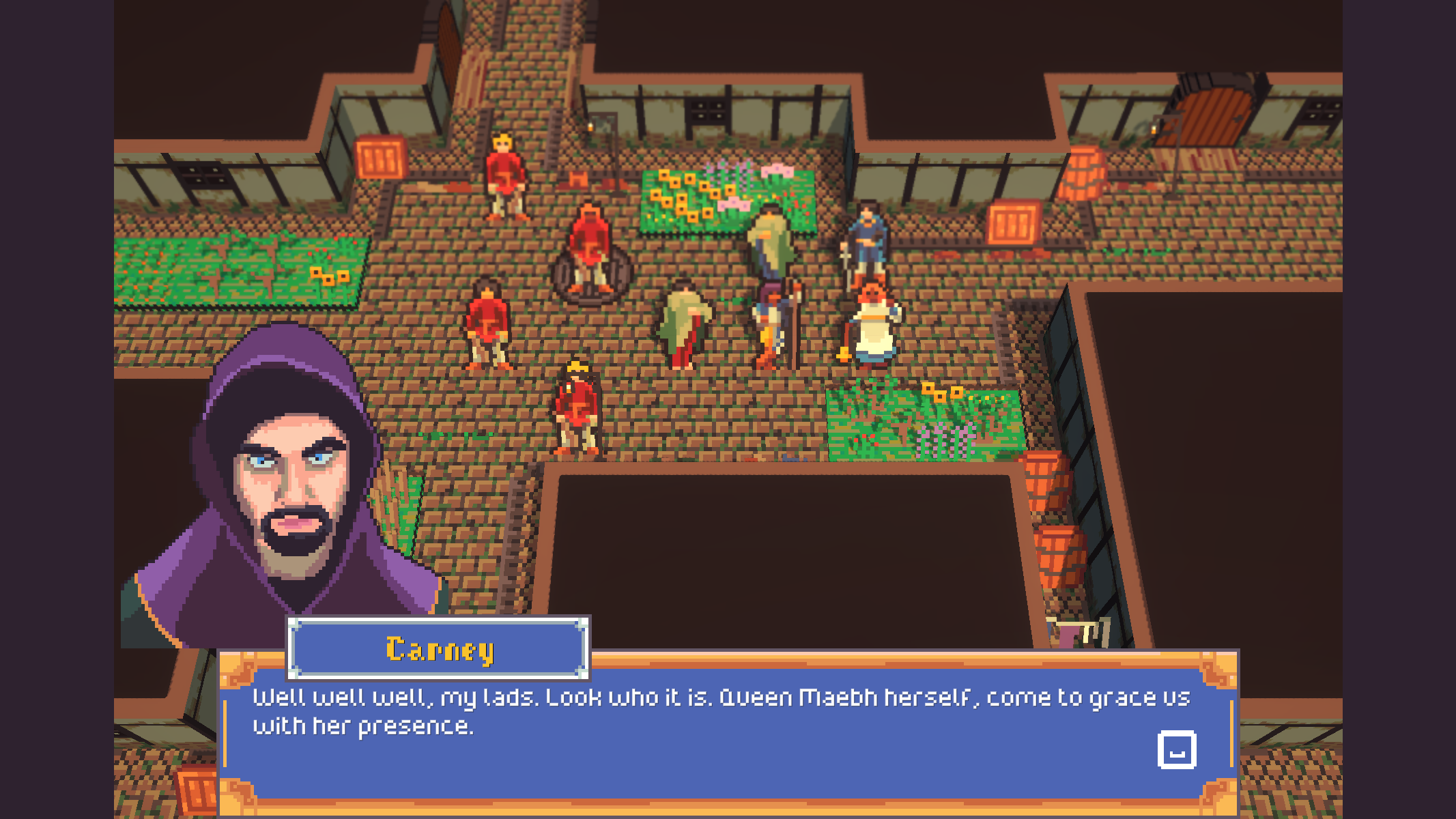
Demo Announcement!
How’s everyone’s summer going? Well it’s about to get even better because I’m happy to announce that Hibera, Requiem for the Forgotten’s Demo will be available to everyone on Steam starting August 3rd! That’s pretty soon!
I have been spending a ton of my time testing and polishing and balancing to make sure the demo is a great experience for everyone, but I also have been working on a bunch of new features for the full campaign including:
Personal and Class Abilities
Created designs and data files for tier 3 classes
Playable dog character (Rufus)
Ability aware Action Preview UX
Song “weapon” type
Ally and Neutral Faction support merged
Scaffolded full game campaign
Greyboxed 6 new missions
Font Manager + Accessibility font settings
Playstation controller support
Map Editor improvements
Finalizing Demo build
Fixed a hang with GameAnalytics on exit
Fixed the movement arrow changing size based on screen resolution
Lots of additional bug fixes
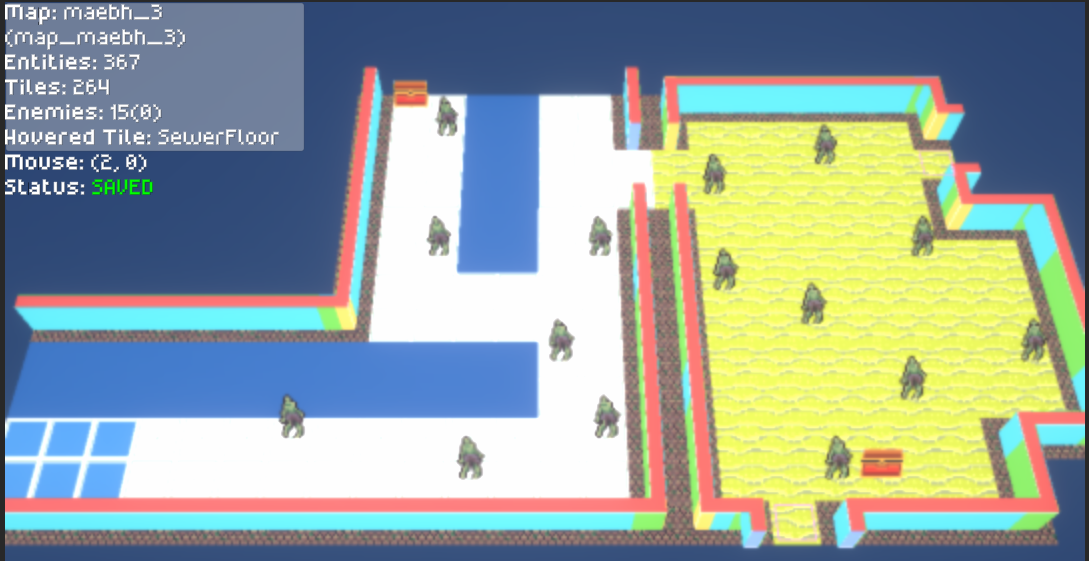
Probably the most exciting thing (after the demo of course) that happened this month is that I started scaffolding the full campaign. This will take the missions from the demo and combine them with many many more missions into our full campaign. Eve and I have broken our story into mission-sized chunks and I’m in the process of building them out. This involves an ancient and sacred game development technique known as Greyboxing. This is where you build out the game using intentionally ugly and placeholder assets. It helps you to iterate quickly on the gameplay to make sure it’s working well before spending too much time making new art assets.
YOooooo
Along with lots of new missions comes lots of new content, I have been adding the tier 3 units to the game, at least their data files. I have also been adding a huge number of new abilities to the game. Every tier 3 class has a signature ability and most of the tier 2 ones have one as well. Some notable class abilities include Destrier, which allows a cavalry unit to move again after their action with their remaining movement range, and Steel Web which may inflict a movement debuff every time the user hits an enemy.
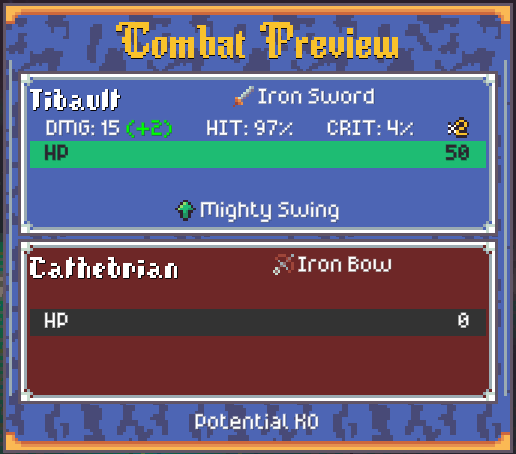
Mighty Swing gives the user +2 Might when they initiate combat.
On top of that lots of the playable characters are getting minor signature abilities that play to their personality. Tadhg is an Early Bird meaning he has a speed bonus for the first 5 turns of each mission. Luigi and Enzo are Inseparable, meaning each gets a bonus to hit or avoid whenever they’re next to each other. I recently added a playable dog character named Rufus. His ability No Thumbs, means that sadly he can’t open doors, loot chests, or equip consumables.
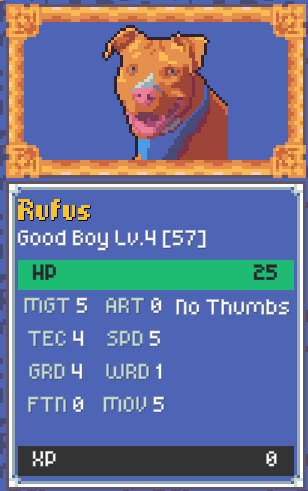
Level 4 Good Boy
I am so excited to be getting the demo out to everyone and at the same time it feels really good to be finally digging in hard to the meaty content portion of the game. I’m going to keep this short and sweet for now and keep an eye on our Steam page for news about the Demo!
Until then.
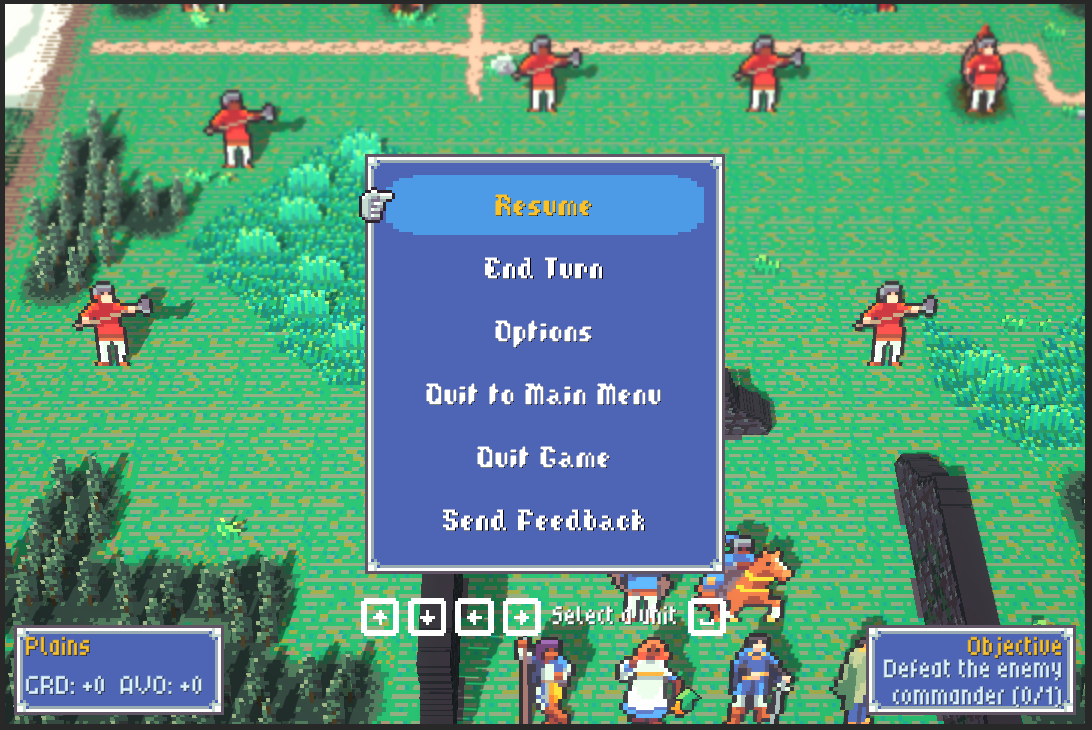
Summer of My Demo Content
Hello!
Back again for another Hibera update. It has been an absolutely wild month. First we had A MAZE, then GamerFest, both of which were exhausting but so much fun. Since then I have been doing a lot of project planning: the tedious business of deciding exactly what you’re going to make and when. It’s a lot of doc writing and not very fun to talk about or show off in updates. So I was pleasantly surprised when I looked at my git history for this month’s changelog!
Main Menu Animations
Lots of Animations added, all playable units now fully animated
Camera pan to mission objective at the start of battle
Snappier cursor movement
Added in-world XP bars for units
Doors, Chests and other interactables highlight on hover
Font readability improvements
Demo Diagnostics and Feedback System
Action Sentence UI
Removed a lot of noisy logging
Added new high-res portraits for characters.
Fixed a bug where the level up rose particles were not playing at the right time
New SFX drop
Renamed Utility Items (Support Equipment)
Added Level 2 tutorial
Buffed Maebh’s starting stats, growth rates, and gear
Fixed a bug where rescued units were losing their XP and level ups
Fixed a bug where the movement arrow changed size depending on screen size.
Fixed a bug where some 8BitDo controller dpads were registering inverted input.
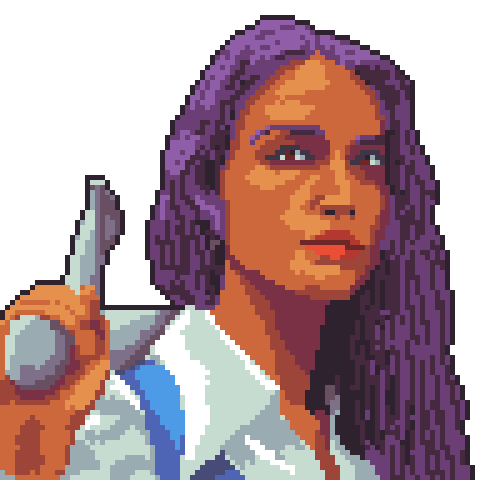
Maebh got a snazzy new portrait along with everyone else :)
None of these are super beefy features like we’ve had in the past but a lot of good work this month anyway.
The first group of features are a reaction to some good playtesting feedback I got at A MAZE, and that includes the Animations, the camera pan, the cursor movement, highlights for interactive objects, in-world XP bars, and font readability improvements. Really good feedback overall. I think my favorite from this group was the in-world XP bars because the player was confusing the XP gain sound plus the fact that enemies poof when they die that enemies must all have lit grenades on them at all times! So Raf made some edits to the sound and I added the XP bar under the player’s unit to help with the messaging.
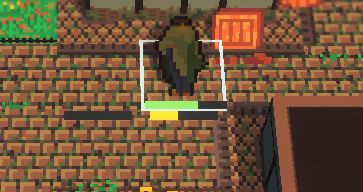
It’s very small but it’s there, and filling up with XP
The next feature I want to talk about is what I’m calling the Action Sentence UI. So as you’re playing the game, there’s a specific flow you will do to make your units do things. You select the unit, select a movement destination, select an action, select an item, select a target, confirm. And we allow you to go back and forth through this flow as much as you want before confirming, but occasionally you can be in a gamestate where it’s a little unclear which step you’re on. So I added a new state to the GameLogUI where it helps to track which step you’re on, like you’re building the sentence that eventually gets logged. I think it works pretty well and hopefully will help players sort out those infrequent but confusing states.

Tibault > Attack > Sandwich?
The last feature to talk about is the demo diagnostic and feedback system. This was proposed to me by a fellow gamedev while we were booth neighbors at GamerFest. Basically the feature is a Send Feedback button that’s now on the main menu and in the pause menu as well. This links you to a Google Form so you can tell me directly how much fun you’re having or if, God forbid you encountered a bug. Also with the form your game will dispatch a special diagnostic report which contains a bit of your save game, your most recent error logs, and a snapshot of the gamestate (all scrubbed of any identifying information of course) so if you encounter a bug I stand a pretty good chance of understanding what you saw.
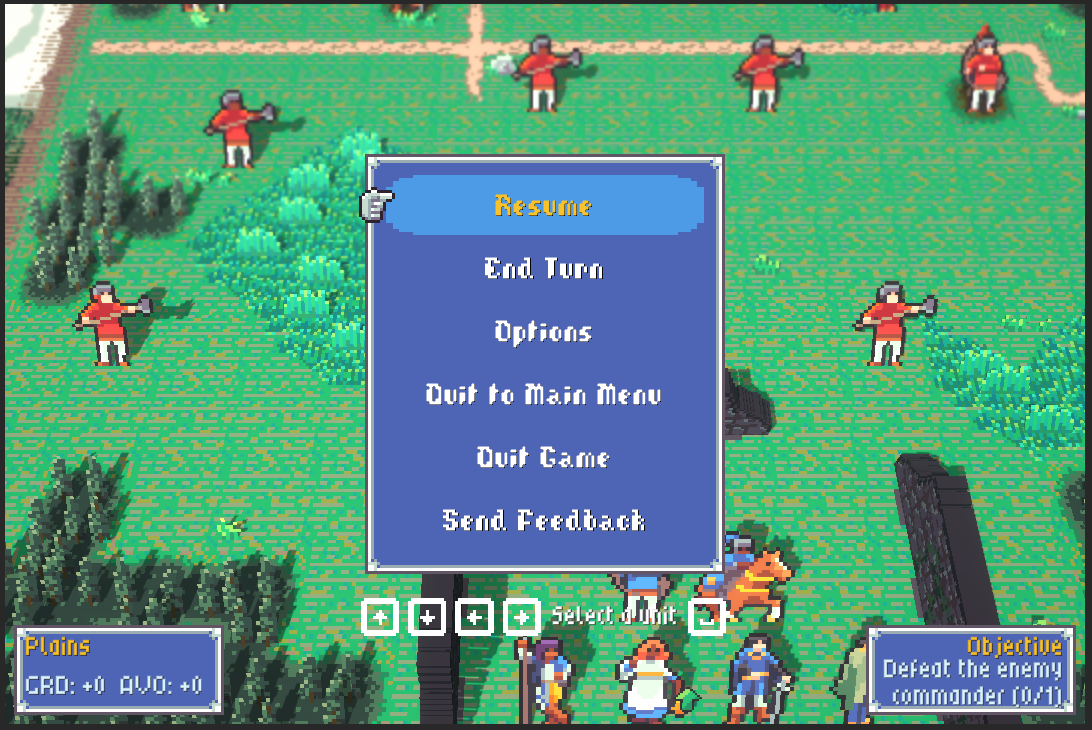
Hmm, should I rage quit or send feedback? maybe both?
Speaking of which, the demo is nearly ready! I’ve had a few members of the press take it for a spin and send me some feedback or post the feedback publicly as is their wont. I am hoping to be able to get it into your hands this summer to stay tuned! If you wishlist the game you’ll get an email when the demo is available.
Until then!
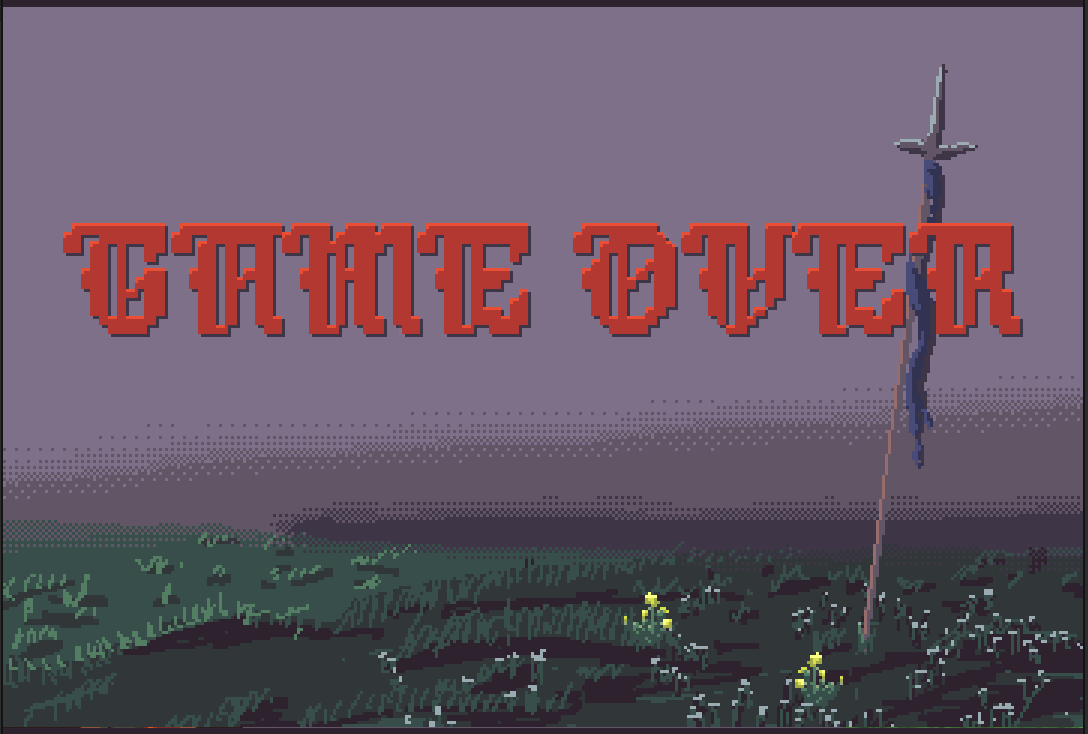
Hibera of TOmorrrowwwww
Another month of sweet game development under the belt and it’s time for another update. But actually there’s some future facing news for once!
Later this month, Bad Juice Games will be at A MAZE in Berlin with a demo of Hibera, and will be at GamerFest in Dublin the weekend after that! It will be a great time to stop by and get to play the game!
In other exciting news we have a Kickstarter! It’s in preview mode right now but it will be going live very soon so sign up to be notified when it does.! The game has come so far since the early days (go check previous blog posts) and I just need some additional help to fill out the bulk of the game content, so that’s what the fundraiser is for.
Ok now this IS a dev blog so I can also talk about all the new features and work going into the game since last time. Since last update here’s our change notes:
Added first part of Support Conversation system (gaining support XP, registering thresholds)
New Defeat Screen
Path Arrow display
Weapon Triangle Indicator
Dialogue Continue Indicator
Big Audio push, overhauled ALL the SFX.
Animations landed for Bowman & Savant
Drai magic got a re-style
Updated castle wall and chest-high wall assets
Water tile color presets
Fixes with the camera especially in the death sequence.
So many little bugs fixed.
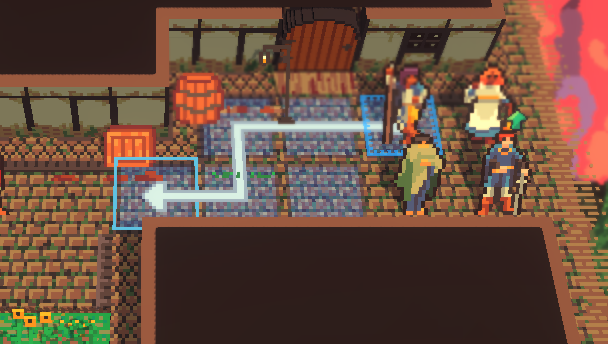
Probably go that way
The first set of features I want to talk about all came from some good playtesting we did at FIS Games Summit in Galway this year. We had a ton of developers, industry professionals, and university students come by, play the game, and inform me of a bunch of Quality-of-Life UX features that were missing. So we got the Path Arrow display, I don’t know why it took so long to add this, literally every game in the genre uses one. We also got a new indicator for when you’re going to get a weapon triangle bonus or malus. And finally some tweaks to how the dialogue continue button works. Tapping A while the text is still typing finishes the typing effect and THEN a further tap moves to the next line.
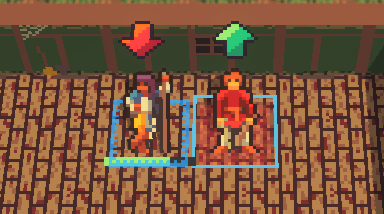
I am hoping the giant arrows aren’t too subtle
The next set of features are really a group of polish items that had been left in a partially done state for far too long. Adding the animations for the Bowman and Savant (there’s still more to go), re-exporting the castle walls and chest-high walls so they have proper lighting, the new defeat screen, and finally hooking up the water tile color presets so swamps aren’t the same blue as rivers as oceans, etc. So much of creative work can be boiled down to “make something kind of right and then refine it and then refine it and then refine it”
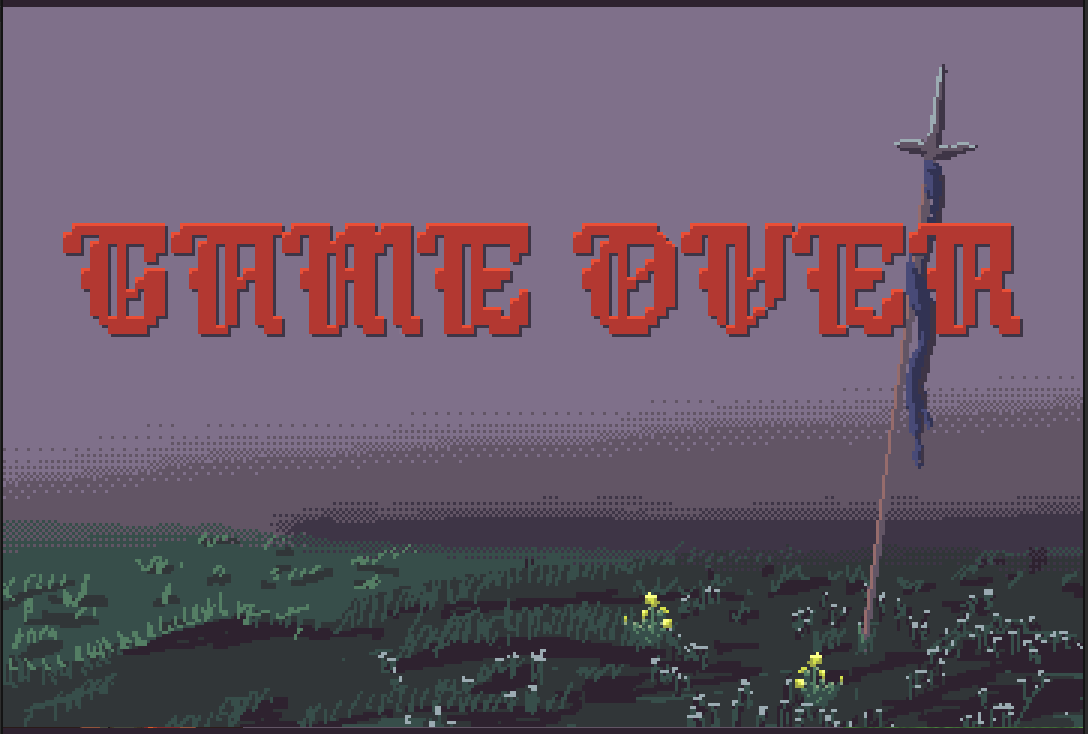
Hopefully you won’t be seeing much of this
Raf has been burning the midnight oil and has completely re-done all our SFX, taking inspiration from Hades / Hades II we’ve moved away from the classic chip-tune beep boops into something more tactile and earthy. Feels like the game got a mechanical keyboard. We also spent some time in the studio recording specific parts for the music. There’s a strong violin in the new victory stinger to keep your ears open for!
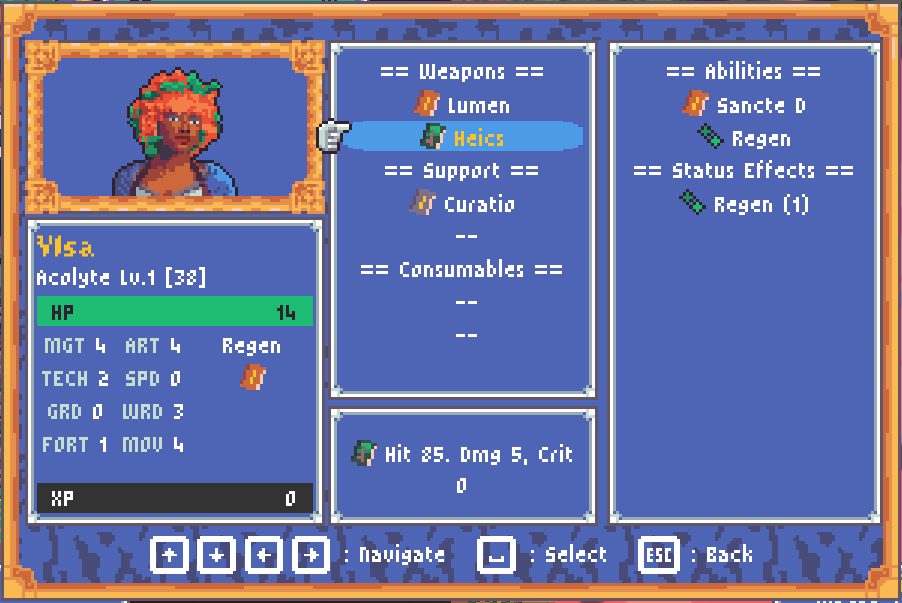
Ylsa is sporting the latest in Drai magic
Finally I rebranded our Drai magic school. When I started the game I stubbed in Light, Dark, and Elemental magic because that’s what Fire Emblem had and it was a good place to start. But as we’ve developed the story, Dark magic has taken on the role of the magic of ancient things. It's pre-civilization magic, the magic of nature and also of heritage. And it has a distinctly Irish theme running through it. And I really just didn’t want the Irish magic to be the “bad” magic. So Dark magic has become Drai and is more nature focused. The other schools have also found their roles but didn’t need significant rebranding. Elemental magic has just become Fire magic and is the magic of humans, civilisation, and the everyday. Light magic has become Sancte, the magic of the church and the divine (which was not a terrible stretch). And finally we have Zodia magic, which exists outside of the weapon triangle and is a very new school developed and developing as part of the ongoing renaissance. It is a magic of abstraction, of knowledge, and of concepts.
This next month will wrap up my current development milestone and we’re honestly looking pretty good for it. I have some goals around content which still need work, and continuing work on the Support Conversation system. I hope to have a deep dive on that in the next one of these.
It promises to be an auspicious month with a lot of Hibera happening so I expect there will be a lot to talk about in June.
Until then.
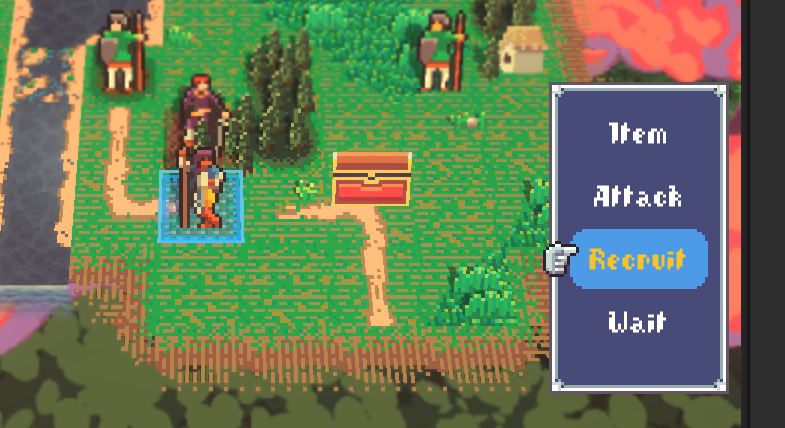
The Neutral of my Enemy
Hello once again!
Back again with another monthly dev blog update for Hibera, Requiem for the Forgotten. It has been a busy month! There’s been a lot of work done in the sort of “un-sexy” side of game development like marketing and business development, signing up for things, filling out forms. But despite all that plenty of work has gotten done on the game since the last update.
Jumping right in:
Audio Overhaul
Letterboxing and Resolution support
A/V Settings menu
Tutorial hint system
Steam build pipeline
Support -> Cantrip Naming Conventions
Allies & Neutral Unit Faction support
Unit recruitment flow
Mid battle reinforcements
Battle triggers (for things like reinforcements)
Lootable Chests
Performance improvements
So many bug fixes.
The first three features on the list are all part of the same effort. It started as just a lot of little audio bug fixes. Things not fading in or out correctly, little tweaks, little adjustments. Then it became volume settings, which meant restructuring how we think about the audio buses. Then once I’d made an Audio Options panel, it seemed like I really ought to do the resolution support work as well. Originally the game ran in exactly one resolution: 1080X720. That’s because this is a multiple of 360X240 which is the resolution the game pretends to be. It is a very opinionated system. Fortunately I was able to use Unity’s built in canvas scaling and some letterboxing (really windowboxing if we’re getting technical) to get it playing nicely in all kinds of screens and aspect ratios.
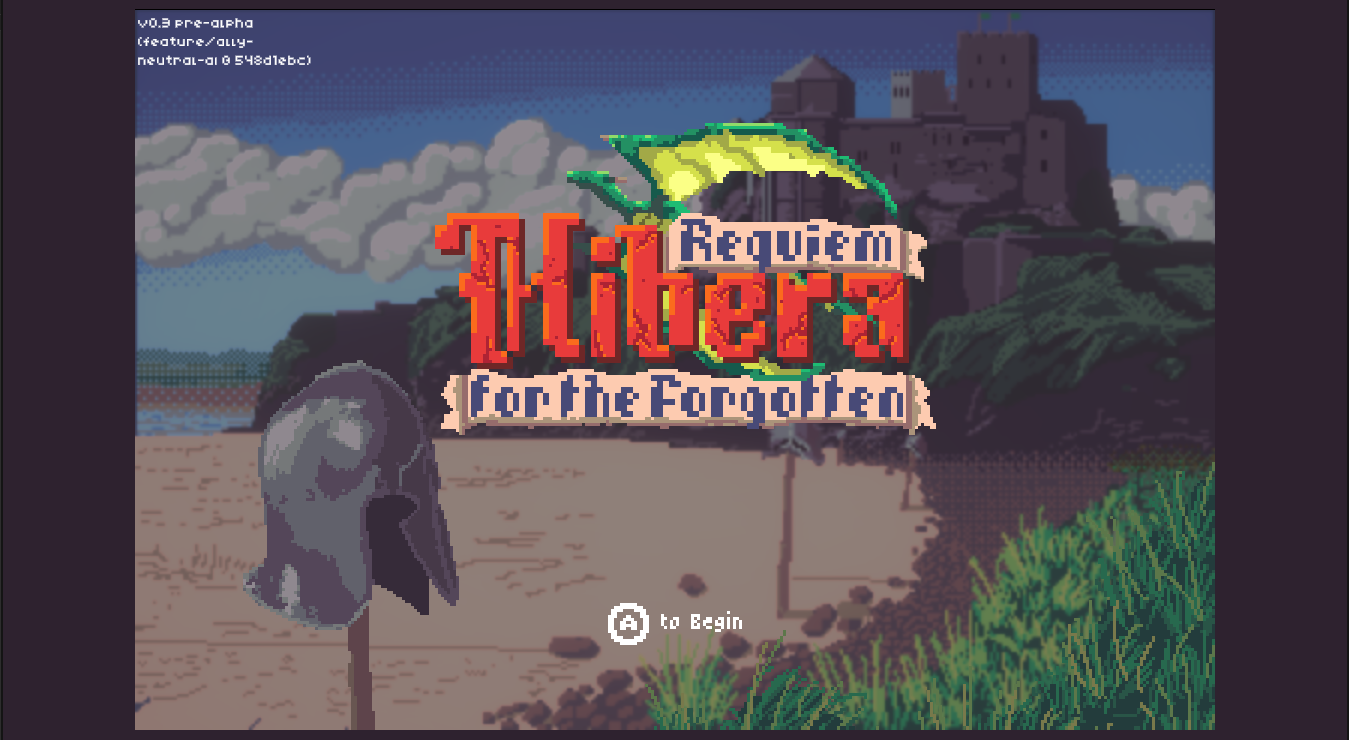
Just the game with some windowboxing
I am slowly working on the process of turning my friends & family demo into a proper Steam demo and with that has come a bunch of build and upload scripts as well as steam pipe configuration. It also was the catalyst for a quick and easy tutorial popup system which only shows up in the first mission for now, just to help fill the gaps while the rest of the game comes online. I am generally against text tutorials and I’d eventually like to remove them or at least make them smaller and more targeted. As it stands I think they strike a good balance for the time being.
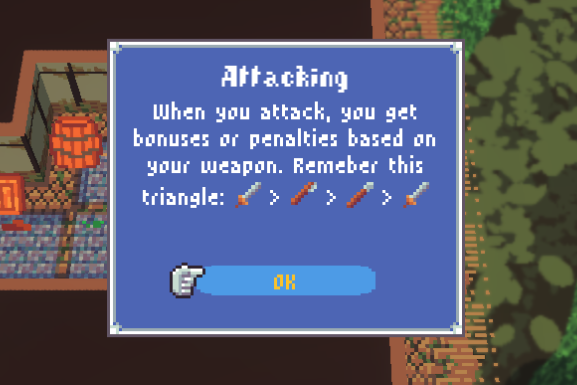
A tutorial popup
At the same time I’m trying to stabilise everything for a playable steam demo, I’m working in a feature branch on a lot of new tech for making future battles even more interesting! It would be boring if every mission had the same objective or map or pacing and that just requires a deep toolbox in order to keep them fresh and interesting. So with that I have added Allied units, which are friendly to you but you don’t control, and Neutral units. I’ve been calling them Neutral but really they’re second enemy units. They will fight anyone, even Enemies. This will allow for interesting 3 way battles and that kind of thing.
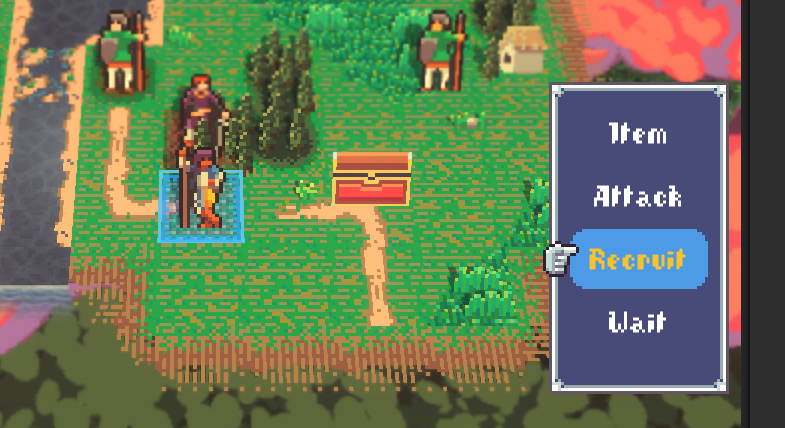
Maybe this guy will join my team?
Along with the new factions came reinforcements and battle triggers, so now I can set up enemy (or friendly) units to join mid-battle or after a specific area is reached or unit destroyed. This can also trigger dialogue.
The final feature for this month is lootable chests. Chests are fun by themselves but this unlocks a very classic Fire Emblem pacing mechanic: the enemy thief, which is what I’m working on right at the moment. Thieves will spawn in and try to beat you to the chests, pushing the player to act more aggressively than they may wish to. Works great in the movies!
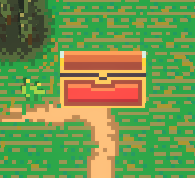
It’s a chest, what’s it look like?
I haven’t finished all the work in my current milestone and I’m planning to work on these next:
Enemy Thieves (in Progress)
Support Conversations / Friendship System
Additional mid-battle triggered conversations
Build out lots more missions
Close tooling gaps from all these new mission features to make mission authoring faster.
On top of all the dev work I’ll be attending FIS games summit in Galway in a few weeks and showing off the game there! Come by my table and say hi!
Until then.
Game Announcement!
I am so excited to be able to announce the name of the game is Hibera, Requiem for the Forgotten!
Hibera is available to wishlist on Steam. And is in the “Coming Soon” section of the Games from Ireland Steam sale happening this week!
It’s been a little while since I have posted a dev blog and it’s not for lack of development. I’ve been working with two very talented people Eve Golden-Woods and Rafino Murphy on a big content push for this announcement and wanted to keep things under wraps.
Having said that we’re due a milestone check-in. Since the last blog post here’s the list of features added to the game:
Full Cutscene system
Hold B to skip cutscenes
Campaign & Save management
Equipment Discovery and management
Weapon Proficiency events
Proficiency-based weapon unlocks.
Light Steam integration
Cinemachine camera overhaul
Roofs and Roof reveals for city buildings
Generic popup system
Units joining the party
Loading screen optimization
New enemy class (Thug) for early missions
3 new missions with cutscenes and everything
Prologue and Epilogue cutscenes
New idle and walk animations for some units
VFX overhaul
Water and waterfall visual overhaul
City lamps that work at night
Overhauled night FOW visuals
Rebuilt wall prefabs in blender
New background art
New logo
Updated main menu
Updated preview panel for equipment management
Added Credits roll
LOTS of new music and sfx
Bug “fixes”
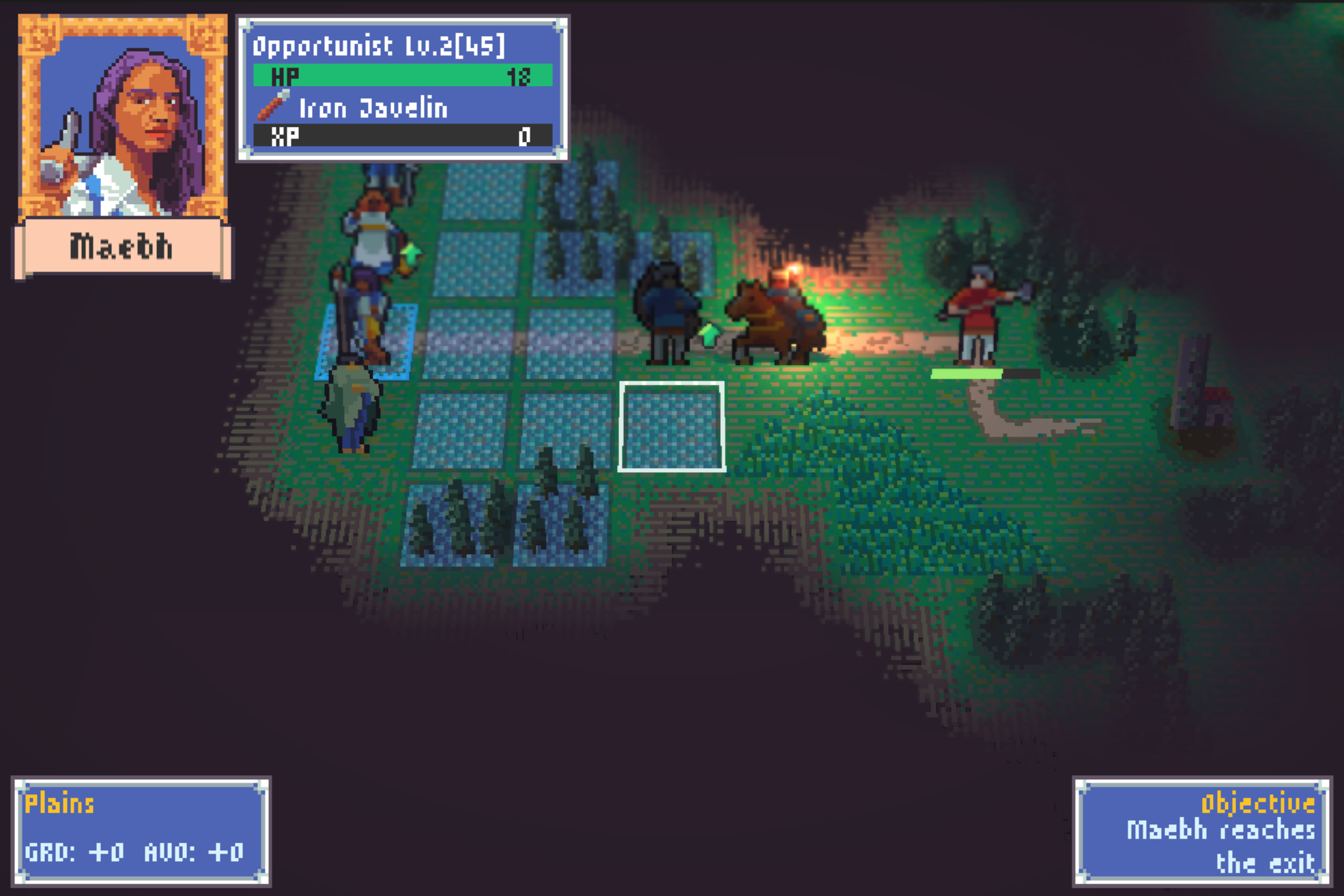
Revamped night fog shader feels much more organic and spooky.
For me the big star of the show this milestone has been the work I’ve been doing with Eve and Raf. Eve has been absolutely crushing it as a Narrative Designer for the game. She and I have been doing a ton of world building, making sure that we can present a very grounded, living and breathing fantasy realm as the backdrop to our drama. She has been helping to chop up the story beats into mission shaped chunks as well as writing dialogue for cutscenes. Thanks to her work I really feel like the game has a solid foundation to tell a compelling story.
Raf has been doing equally amazing work on the audio side. We have new music throughout the game and he’s threatening to do a full sfx pass as well. We sat down and talked through a ton of different inspirations, from games like Banner Saga, Legend of Zelda, Sword & Sworcery, and also listened through a ton of historical and contemporary material looking at instrumentation and composition. We stopped just short of ordering an EP-1320 medieval, but I think it’s very much still on the table.
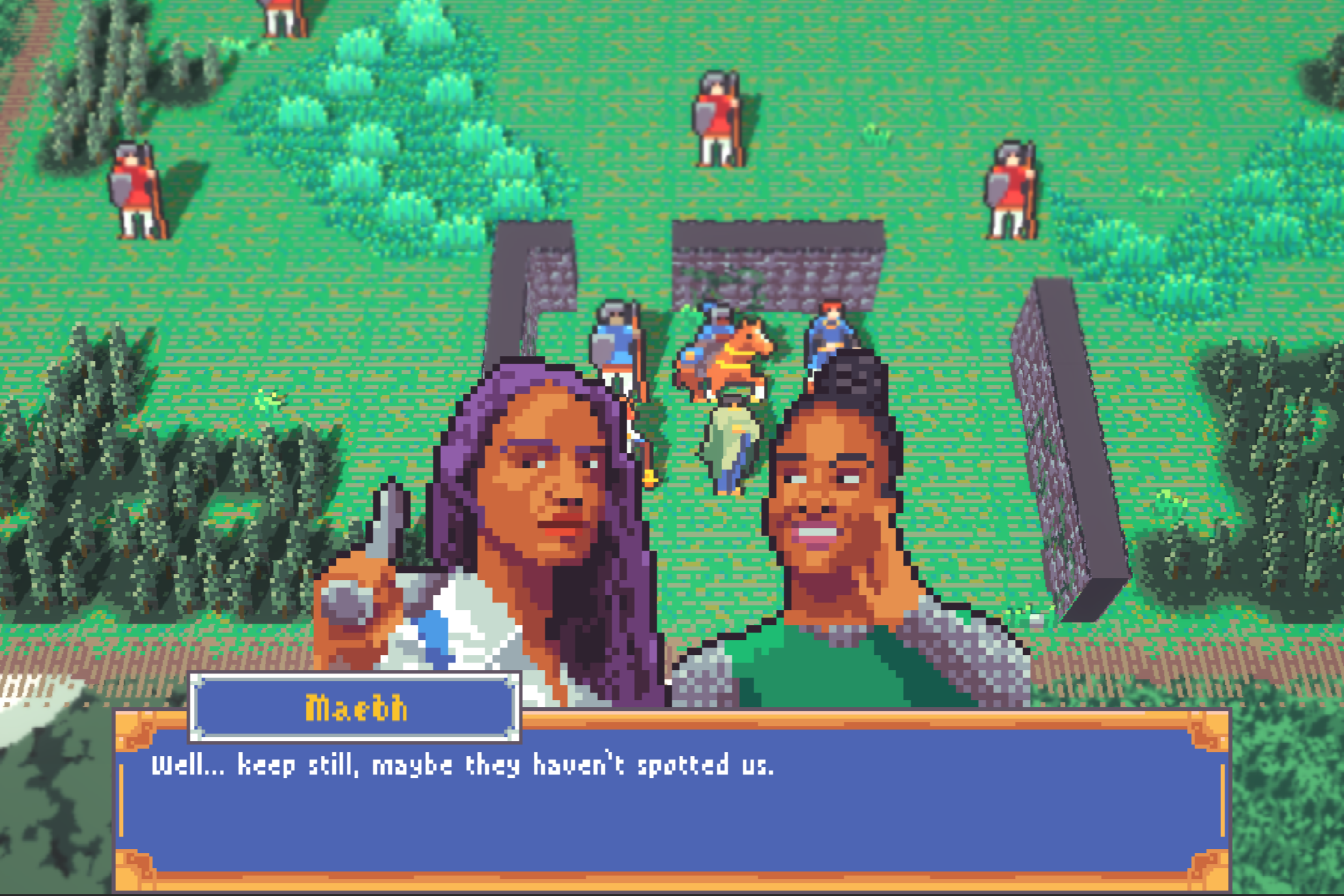
Excerpt from our in-engine cutscenes.
The headline tech feature of this milestone is definitely the cutscene system. It’s a fully scriptable system where you can load maps, units, move them around, trigger animations, vfx, sfx, dialogue and backgrounds. And the whole thing is underpinned by Yarn Spinner. They have a dialogue system that lets you add custom commands into the script, which just runs in order. Here’s a snippet from one of our cutscenes so you get the idea:
<<show_portrait "Tadhg" "default" 0>>
<<set_name_badge_position "left">>
Tadgh: Another half hour of that reek would have killed me.
<<hide_portrait 0>>
<<show_portrait "Maebh" "default" 0>>
Maebh: The sun is low. We're late.
<<hide_all_portraits>>
<<hide_backdrop 0.5>>
<<move_unit_path "aylet" 2 12 1 12 2 13 2>>
<<move_unit_path "tibault" 2 12 1>>
<<show_portrait "Aylet" "default" 2>>
<<set_name_badge_position "right">>
Aylet: Late isn't the word. What kept you?
It’s still a little labor intensive to build out a cutscene but the system is very powerful and I’m finding new workflow improvements all the time.
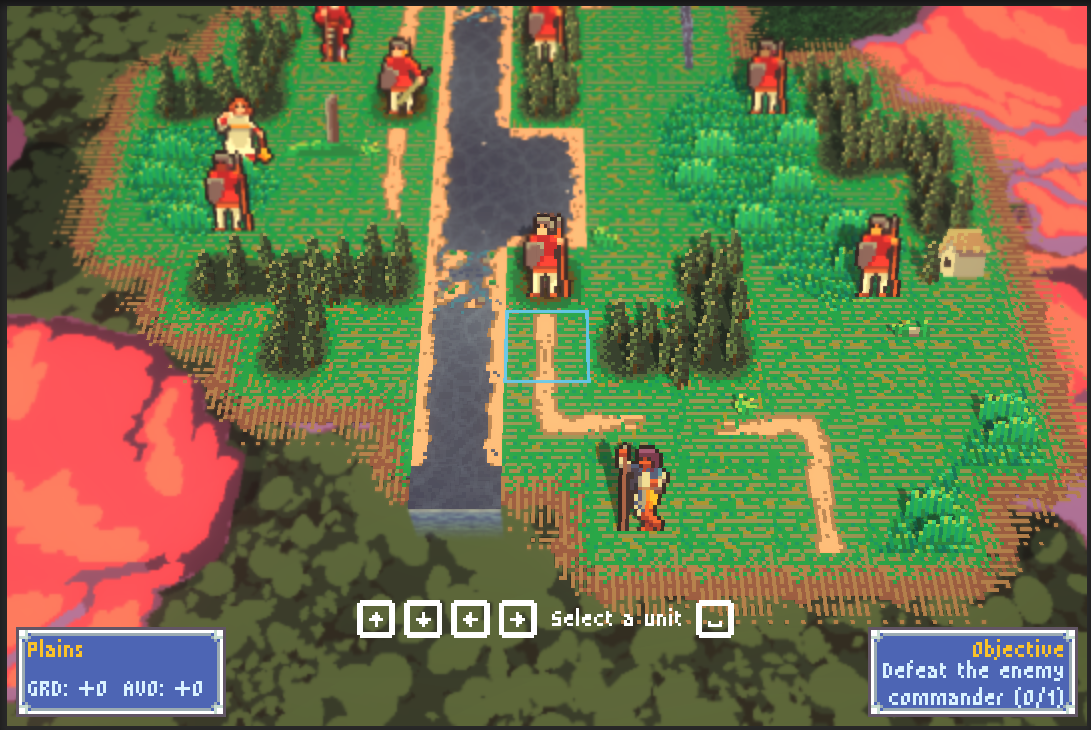
A scenic river bisects the battlefield ending in a little waterfall.
I think the water and waterfall system is pretty interesting from a tech perspective. I was playing the Final Fantasy Tactics remake and got fed up with how good their water looks compared to mine, so I had to do something about it. The game board is comprised of individual tiles which have a specific tile type and largely don’t know anything about any other tiles. So when the map loads I take all the water tiles and use a flood-fill algorithm to group adjacent tiles into connected regions. Each region gets its own mesh and we can set the flow direction per region. The visuals are handled with a shader, it uses two layers of procedural noise and then a posterizing filter to make that noise pixel shaped. It also layers in sparkle and caustic textures. These are tiled based on world position so they tile seamlessly between water regions. Finally the waterfalls do a similar thing but using specific edge tiles, it continues the water effect on top and then makes a 90 degree drop with a second shader doing the flowing streams and the fade out. The three demo missions we ended up with don’t show them off especially well, but I’m very happy with how they turned out.
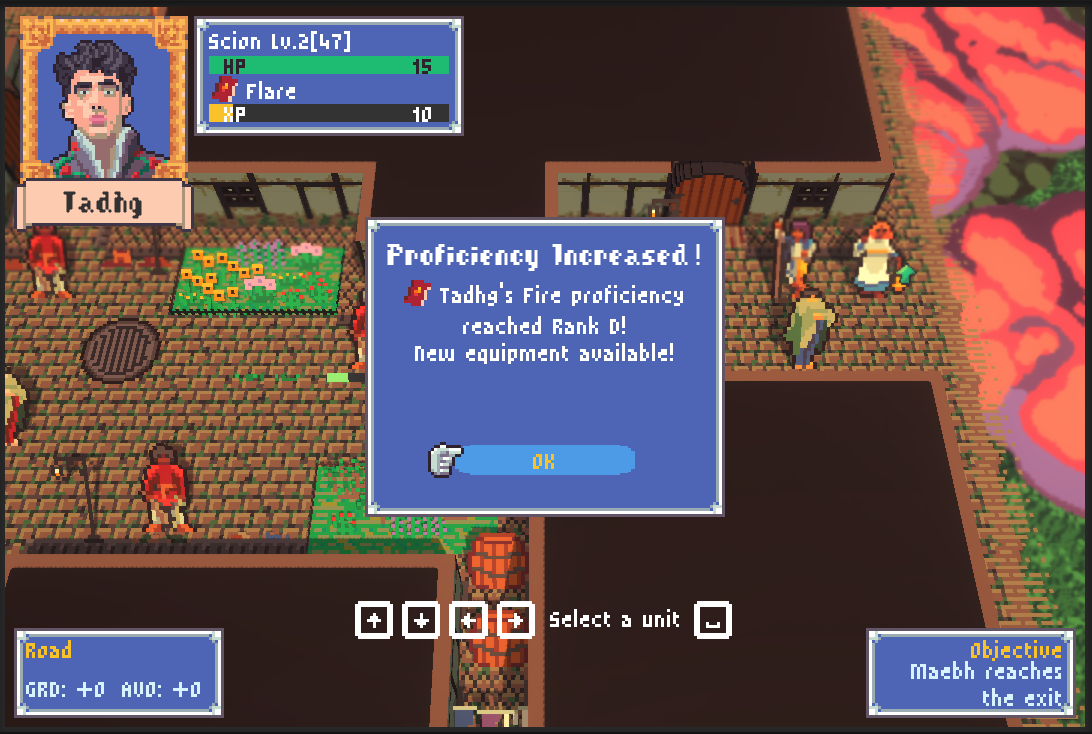
Tadhg just leveled up his fire magic, isn’t that fancy?
On the gameplay side, I made a big update to how we think about equipment. Previously all equipment had infinite copies and was gated solely based on a unit’s class, so more advanced classes could equip better stuff. I’ve completely changed it around. We still have base level items that are infinite. Wherever you are in Hibera, you can get your hands on enough Iron Swords to be getting on with. But in missions you’ll be able to find limited quantity items that provide small bonuses compared to the baseline. As a unit uses a specific weapon type they gain proficiency XP, and at certain thresholds they level up, gaining access to new equipment of that type. XP is shared for offensive and utility magic so mages aren’t left behind! Speaking of mages, each mage has their own spell list for unique spells in addition to the core set. So Tadgh for example, unlocks Enliven at rank D in Fire magic. Enliven is a great buff spell that increases might for several turns.
This milestone is going out with another friends and family playtest build. And I hope to have a public steam demo build out before too long featuring the same content. This has been a year’s worth of work for me and we’re just getting started!
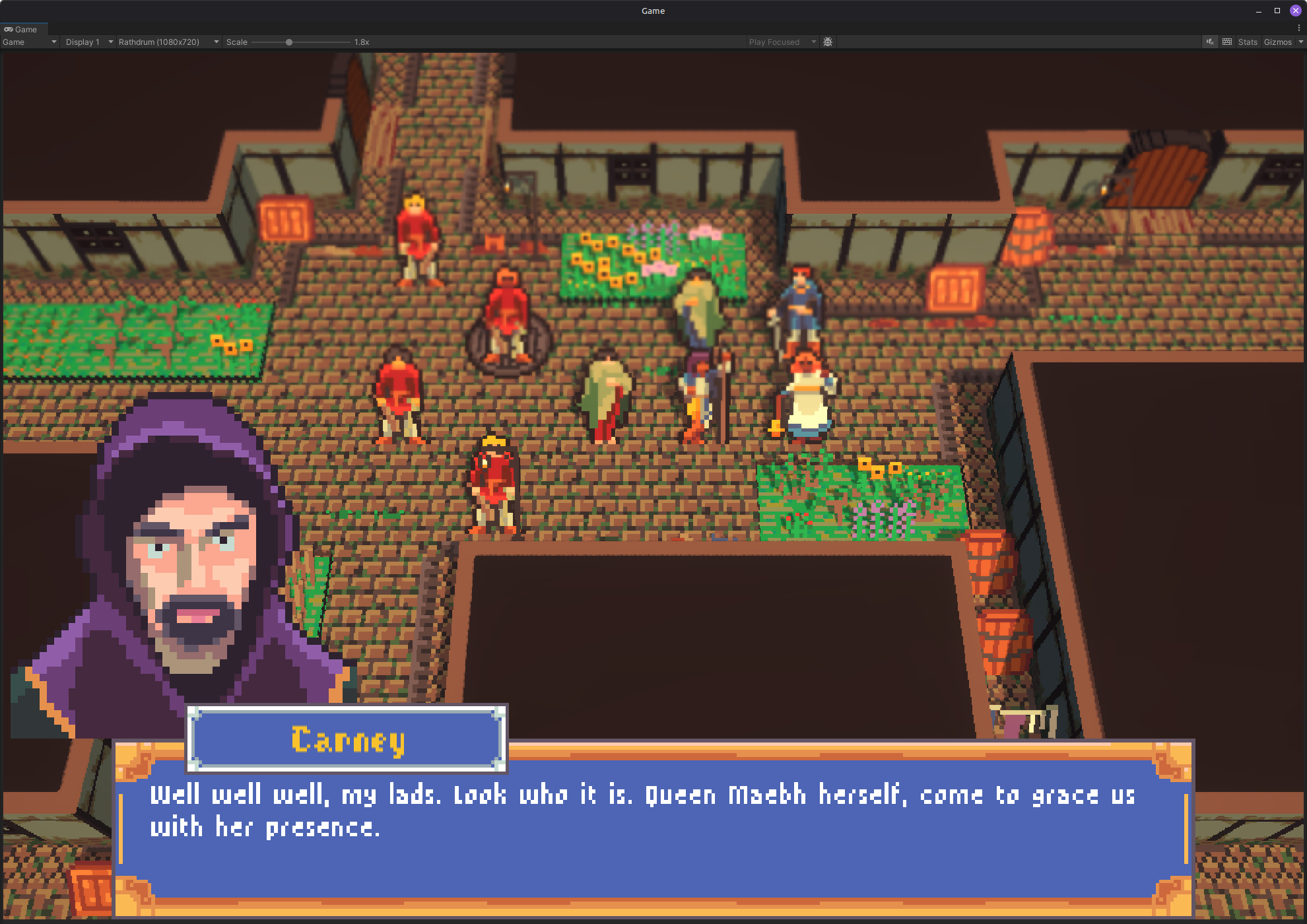
Shut your mouth Carney.
My next milestone is going to be focused largely on content creation but I do have a short feature list in mind:
Recruitable units
New unit classes
Options / Settings menu
Allied & Neutral units
Enemy Thieves & Lootable Chests
Support / Friendship system
Mid-battle triggered conversations
Steamworks integration (cloud saves etc)
Lots of new missions.
I’m also going to be showing off the game at a few events within the next couple months so keep an eye out!
Until then.
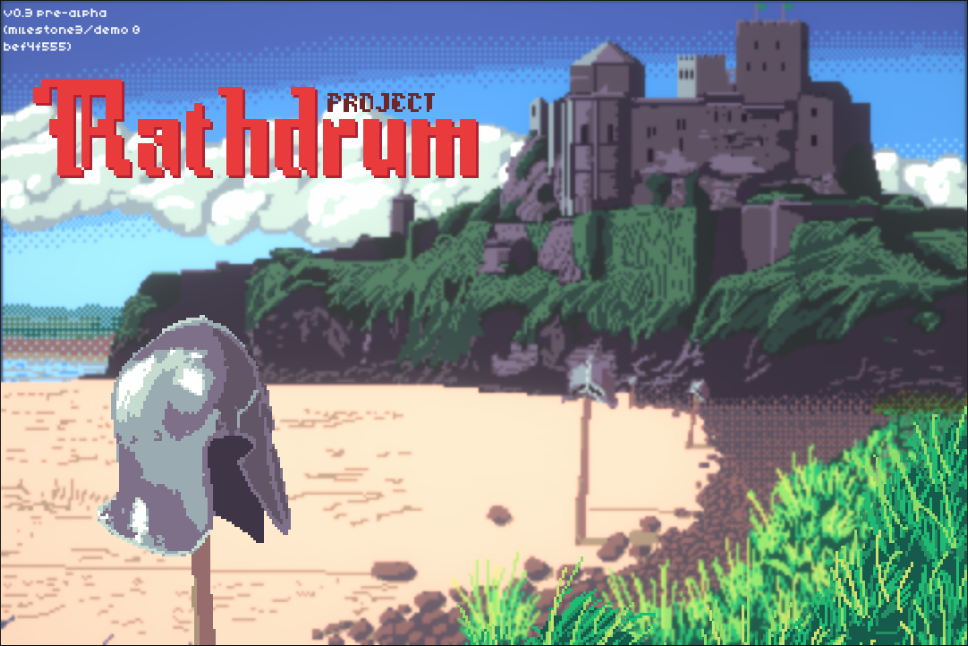
Another Year / Another Milestone
Another year, Another Milestone in the books. It’s a wrap-up episode, but a good one.
It’s the end of the year and time to celebrate “shipping” another milestone on the game. Since our last milestone check-in, here’s everything that’s changed:
Added a version label to main menu
Integrated with MMFeel and migrated action animations to use MMF_Feedbacks
Updated every UI in the game (all of them)
Fancy new loading screens
New particle and projectiles for attacks
Status Effects (like poison or stat up)
In-world health bars & status indicators
Added Unit Abilities (triggered effects)
Added Class Abilities
Added Weapon Proficiency tracking & bonuses
Added lots of new support equipment and consumables
Added AoE targeting for some actions
Converted units to using a standardised level notation
Conditional terrain effects
Openable Doors
Mission Objective UI
Player units go downed for 3 turns upon defeat and can be rescued.
Walk and Idle animations for core unit types
Units can dynamically change colors to match hair and skin with portraits.
Created a custom font
Added Fog of War system for foggy and night missions
Added weather
Rebuilt (nearly) all the city assets in blender so they render correctly and efficiently
Integrated with Fmod (and migrated a ton of sounds over)
Added a ton of new sounds
Integrated with Yarn Spinner (and migrated dialogue system over)
Improved unit info panel(s) behavior in the enemy turn.
Main Menu glow up
Fixed a ton of bugs, too many to list (I didn't write them all down)
Other quality of life fixes in the ux.
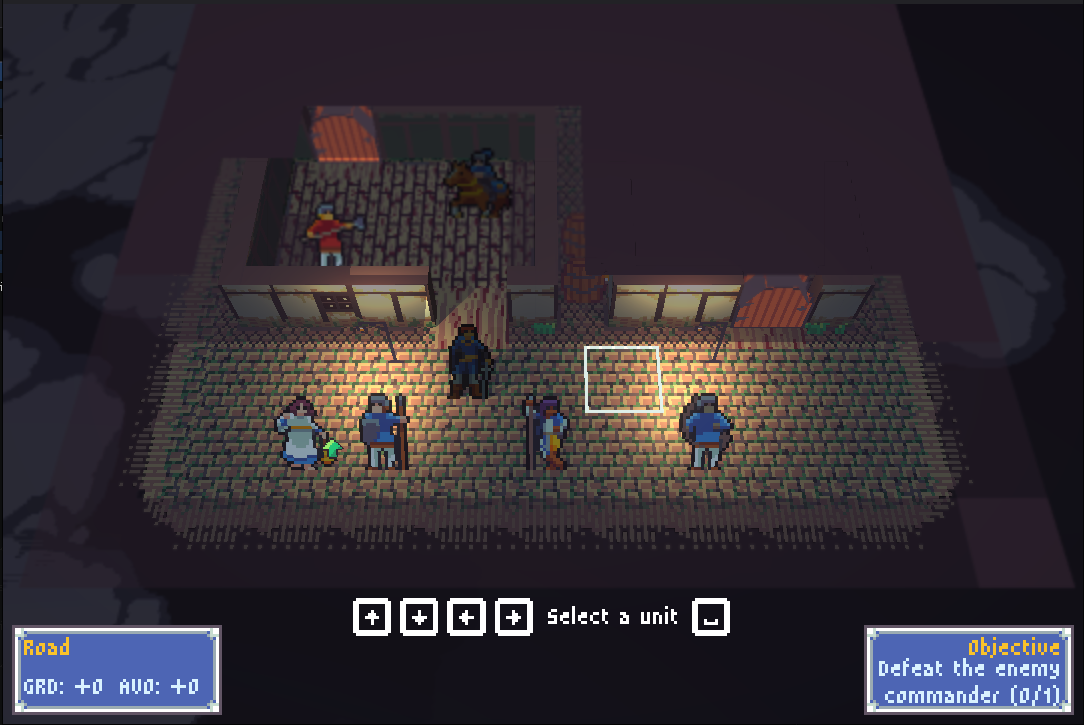
Night mode mission, showing off that real-time lighting magic.
I won’t go through all of it here since we covered ⅔ of it in previous blog posts. This month was smaller than others in terms of features, partially due to all the family holidays going on, and partially due to the nature of the work I was trying to get wrapped up for the end of the milestone.
The big feature for this month was fmod integration, I don’t know much about the inner workings of Fmod and fortunately I don’t have to. I’m working with a local composer who is already bringing the game to life with new sfx and ambiance. I was fortunate because I had been using a simple custom audio manager that already had a pretty close abstraction to what fmod uses with its events and event parameters. So it was really fast to just write a thin conversion class and plug it all in. We also made a big spreadsheet of all the sounds we thought should be in the game and I’ve been going through and setting up events for them.
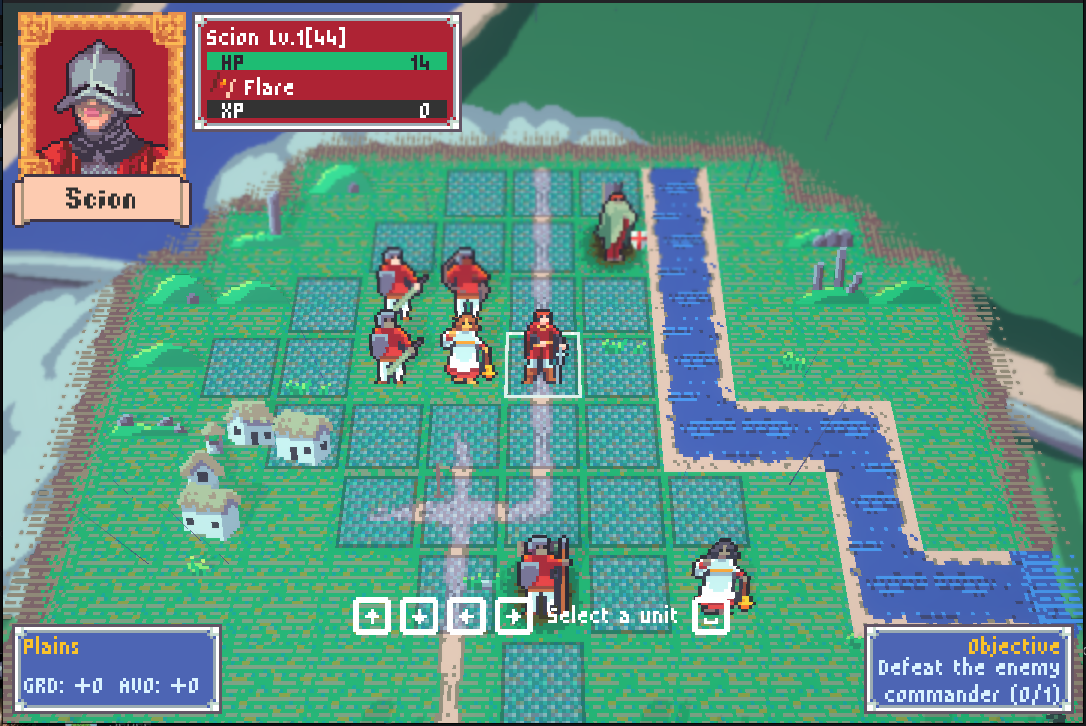
Can you hear the SFX in this picture?
You may notice a new character in the game with some “main character energy” her name is Maebh and she’s the product of my work with another fantastic person. I’m working with a local narrative designer who came *highly* recommended. And we’re ironing out the major arc for the game’s story. Maebh is just the start, she’s got her own custom class, the Opportunist and she’ll be leading our merry band for the foreseeable. A side effect is that characters and portraits are starting to move and get recycled and repurposed as we change things around. This is only the beginning, a lot more to come in this space.
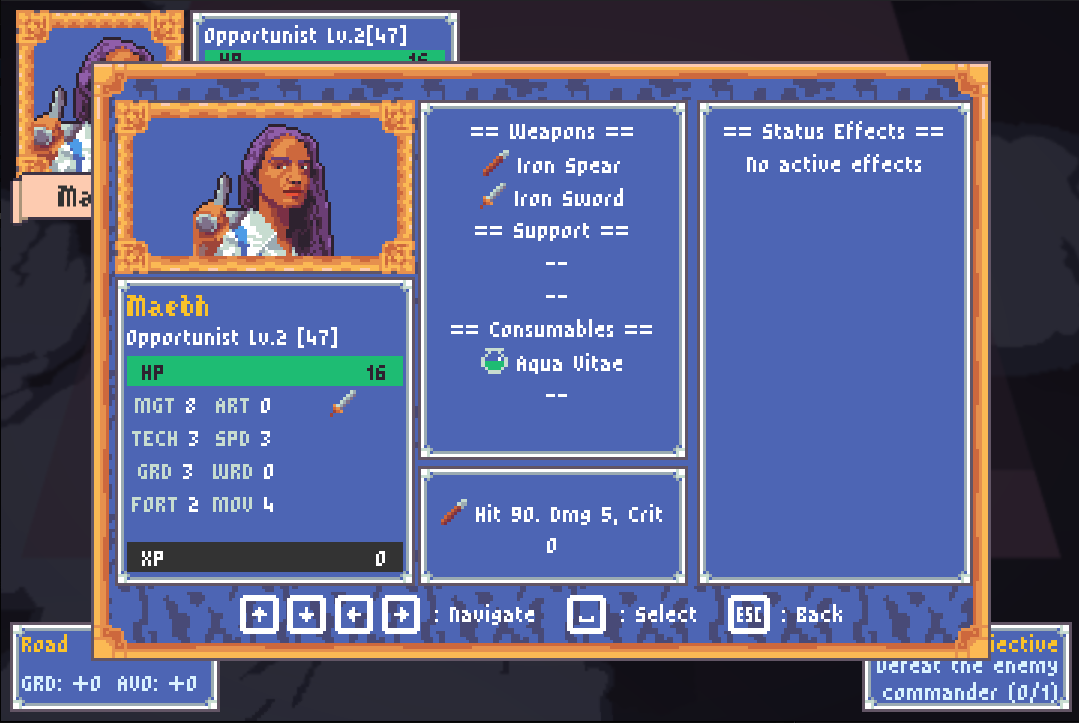
Maebh has “main character energy”
One final thing for this month came as I was doing my playtesting for a little Friends & Family playtest build. Grenades were way too good, I kept getting iced by a random yeoman with a grenade from nowhere. My original thinking is that grenades should just do flat damage. They always hit, they do a fixed amount of damage, you get one per battle, and it doesn’t give you XP. But in my testing it was really hard to find a good balance point. They never felt strong enough to warrant use by players, and they always felt too strong for enemies to have. So I decided to make them work more like a regular attack. They now have a hit chance, they take armor into account, and they give XP like a normal attack. However they’re still in this middle ground where they’re not *quite* a regular weapon. You can’t crit with them, your might doesn’t affect their damage, and they don’t provoke counter attacks. It’s an interesting middle ground and I’m going to keep playing it, but initial results feel much better.
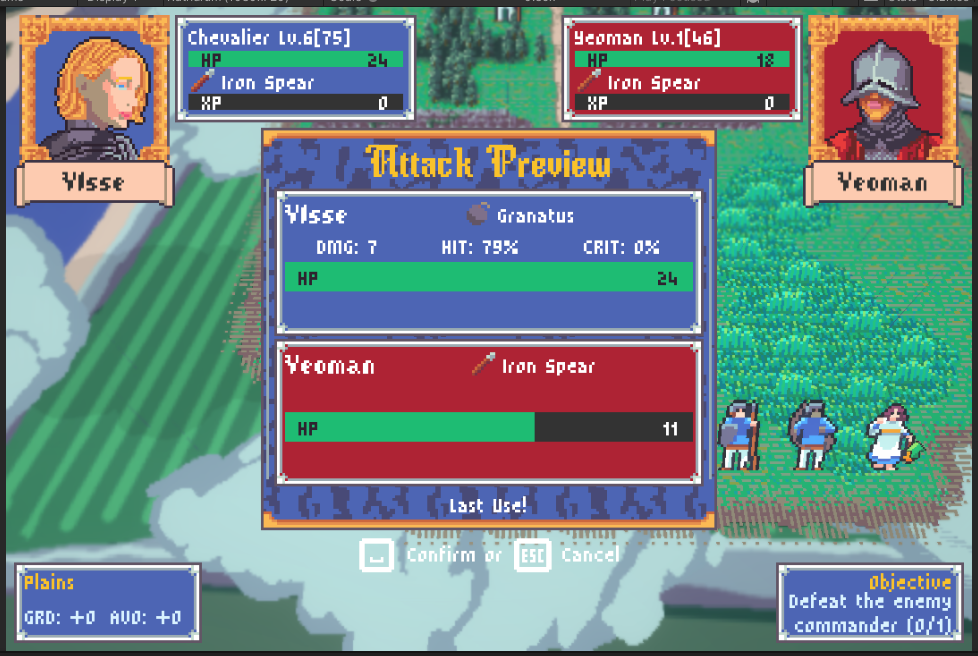
Ye olde granatus
It’s time to define my next milestone and this is a big one. In March I’ll have been working on this game for a whole year, and so I’m setting myself the goal of having a vertical slice build and with it being able to announce the name of the game (and make a steam page and that stuff). I already have a lot moving in the narrative and audio departments and I think it’ll be doable. With that all said here’s my todo list for the next 3 months:
Cutscenes - in-engine cutscenes
Walking / idle animations for all classes
Upgraded VFX for attacks
3 mission arc telling a piece of the final story.
Campaign mode & unlocks
Sizzle Reel / Trailer
Polish and bug fixes.
It’s a much shorter list than previous but these are all pretty big ticket items. Wish me luck.
Happy New Year
Good Times with Shaders
Another month has passed! I feel like I’m getting in to the swing of writing these blog posts. Since the last episode I’ve done a lot of work on the game visuals and especially in the UI.
Another month has passed! I feel like I’m getting in to the swing of writing these blog posts. Since the last episode I’ve done a lot of work on the game visuals and especially in the UI. So without further ado here’s the change notes for this month’s dev work:
Created Unit animations for walking and idle states
Added palette swapping on units to support configurable skin tones and hair colors
Added a Pause Menu
Created a custom font
Migrated all the in-game fonts
Revamped every UI in the game
Controller support + input glyph support
New loading screen
Fog of war & weather presets
Learned Blender
Rebuilt town wall sections using Blender
Integrated YarnSpinner for better dialogue scripting
Downloaded Fmod
A friend asked me how I get so much done and the secret is to be consumed by the project every waking moment.
Ok starting things off I created walking and idle animations for our core 5 classes (Yeoman, Acolyte, Scion, Wretch, and Chevalier) so now those classes have walking animations when they’re moving around the map and slow idle animations to give the game a bit of motion while they’re just sitting around. Prior to this change I was using a static sprite render on the unit game object for all units. In order to get all the animations hooked up and on their respective units, I had to make prefabs for each unit class and set up animation controller overrides.
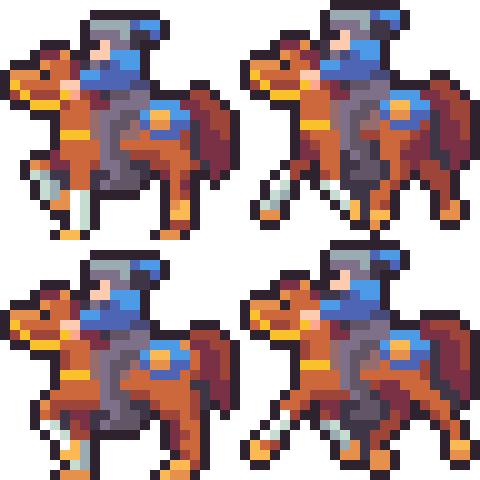
Prancing Horsey
I was starting to hit a problem doing the animations, which is that up until this point each unit image was hand made, meaning I had separate images for enemy yeoman and friendly yeoman. But I was struggling with the idea of having to create 3-4 animations for every unit for every shirt color, for every skin tone, for every hair color, for every weapon (yes we have specific weapon art) This was just too much. So I did some research and ended up creating a shader that will palette swap the unit art for shirt color, hair color and skin tone, meaning my possible combinations decreased significantly.
The way it works is that we have 8 or 9 “greenscreen” colors defined that just happen to have the 9 lowest Red values of any colors in our game’s palette. So the shader sorts all colors by R into an array and if it wants to render a color it does a simple lookup as to whether to swap out the color or not. I then generate a 1x256 texture that contains the target colors for a unit based on the selected hair, skin, and shirt color and the shader swaps to those colors. It’s all very fancy.
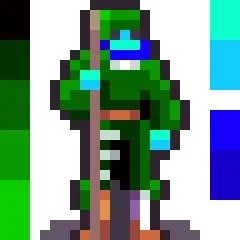
Green screen Landsknect
Changing gears I had a goal from last time to revamp all the UI in the game, which I did! It was a lot of UI. Early in the project I had made very simple UIs partly because I wasn’t comfortable with the system yet and partly because I didn’t know what kinds of information I’d need to present. So I have been wanting to go back and update a lot of them. Especially the equipment select and action preview screens needed a lot of work.
I got to take advantage of our fancy new progress bars from MMF_Feel and overall I think the clarity of the game has improved significantly. The full list of UIs that I updated are:
Pause Menu (new)
Battle Prep menu
Equipment Management menu
Promotion Menu
Battle Participation menu (unit select)
Unit Inspection menu
Unit info menu (top corner panel)
Game Log
Terrain Info Menu
Objective Info Menu
Equipment Selection Menu
Action Preview Menu
Loading Screen
About 95% of all the UI in the game got at least a small update.


Speaking of the loading screen, this got a big overhaul. It was kind of a placeholder screen before but I wanted to do something cool with it. I saw someone on Bluesky post a while back “what’s the point of making your own game if you don’t build a sick loading screen?” and that stuck with me.
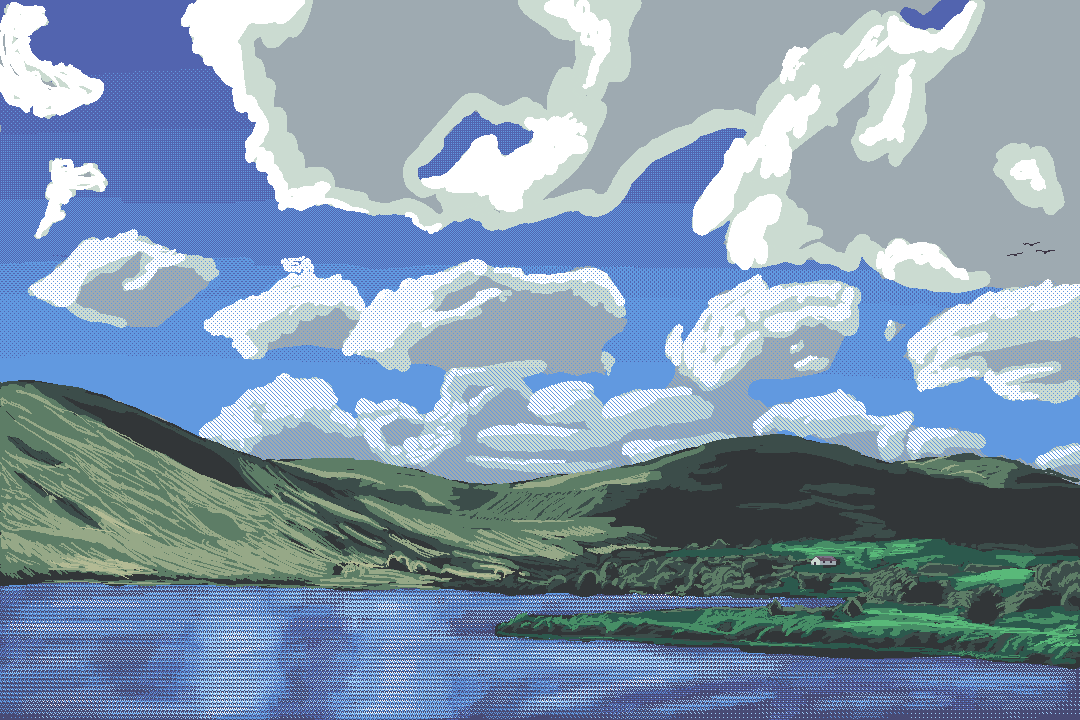
The loading screen is actually another custom shader that interpolates between the “sketch” image and the final painting. It only has one set of images right now but I’m in the process of painting a bunch more.
Along with my great UI revamp I swapped all the game’s fonts and ended up creating a custom font just for the game! I realised that I had spent a lot of time making sure that the UI was pixel perfect but that I was cheating when it came to fonts, so I really needed to get fonts that would render at the same pixel density as the rest of the game. I picked up a pack of fonts which I use for the Heading font and the small text, but I didn’t have a good one for the medium headers.
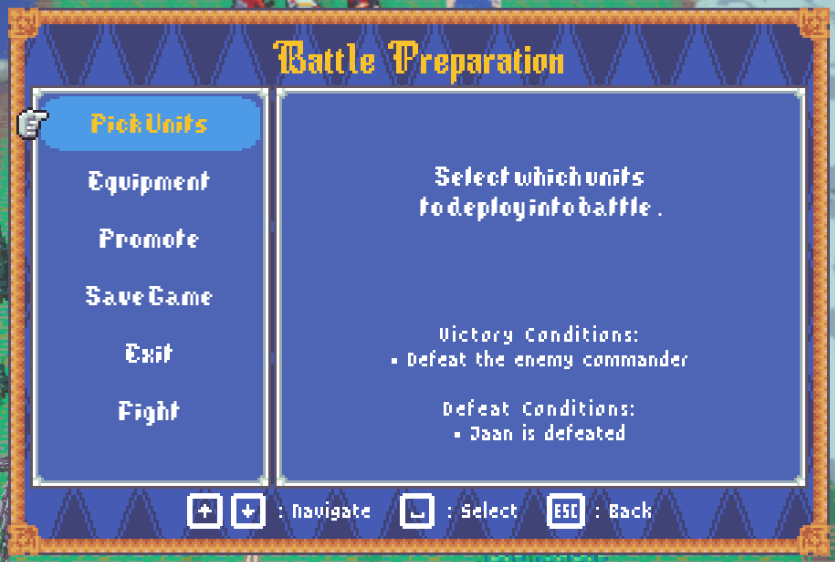
Showing off Rathdrum Serif
I did some research and found this tool online for creating custom pixel fonts and after a few days trial and error I ended up creating an 11 pixel font I’m calling Rathdrum Serif.
Along with the font work came controller support and input glyphs. I had some stuff in old builds that was just kind of a placeholder, but I got a pack of input glyphs from Kenny assets and added them to my emoji system. I was already pretty well set up for controller support and all the input hint text auto detects the most recently used input device and changes to that set of glyphs.
The last big feature of this month was fog of war and weather presets. A lot of classic fire emblem games have night time or fog levels where you don’t know where the enemy is until they’re right in your face. So this was on my feature list from day 1. Each unit has a radius of visibility they have and there are also game board objects that can give or remove visibility as well. This will allow me to hide the inside of a sealed room even during the daytime preset. This was the third custom shader of the month as the fog is a large texture that fills in based on the visibility of the tile below it. Those tiles are stored in a small generated texture with 1 pixel = 1 tile.


With the weather presets I was playing around with the game’s lighting and the walls in the city tileset have never respected the lighting in the game. They were created by attaching sprites to the outsides of a unit cube primitive, so each one is actually 6 draw calls. I knew I’d need to change this. I started trying to build them out with Crototile3D but just kept bouncing off of it. No offence to the tool, I think it’s very cool but just couldn’t get in the flow. I decided to take a shot using Blender and had a lot more success, I was able to migrate all the Tudor walls in the game and now they light correctly and are much more efficient to render. I need to do some more complex shapes for the door and some other doodads around the map so wish me luck!

Showing off lighting on these Tudor walls.
Finally to round things off I had a couple integrations. I decided that I am going to use YarnSpinner to help manage cutscenes and I started that work by replacing the existing dialogue manager with one that is backed by Yarn Spinner as a proof of concept. I just finished that today (as of the writing of this blog) and it seems to be working great. I also downloaded Fmod and started to integrate it but got scared. I am going to be working with a very cool composer (you heard it here first) and he wanted to use Fmod so I’m going to sit down with him and make sure I get it set up the way he wants it.
For December, I think I will focus on polish. I have a nice lil bug list going at the moment and will try and bring in some additional art/animations before cutting another demo by year’s end. I also need to take the time to really dig into the game story which I’ve been neglecting for fun programming tasks, but sigh I guess I’ll go write some stuff.
Until then.
Cooking with Gas
October’s Dev update is BIG.
It has been a fructuous month for game dev in my household. Starting off the month strong I made an appearance at Nexus and had some great chats with people in the Irish game dev community. Lots of great presentations, got some great feedback on the game, and a huge motivational boost. So maybe it’s no surprise that looking at my task list I made for last month’s dev blog I can say I’ve accomplished ¾ of them! I’ve added the following to the game:
Buff & Debuff spells
Active effects (like poison or heal over time)
Class abilities
Unique abilities
Positional abilities (bonus for being near eachother)
Additional terrain effects
Conditional terrain effects (like how a closed door is impassible)
Conditional actions (like opening a door)
Lots of consumable items using all these new effects
Weapon proficiency (and the framework for support conversations)
AoE spells and attacks
Battle Objectives ( not just kill everyone)
Pause menu
I even threw in a few features not listed like:
Integrate MMF_Feel library and migrate attack animations to use it.
In-world health bar and status icons.
Add a downed / revival mechanic for units that hit 0 hp
Refactor the Unit.cs class and pull out a ton of logic into static utility classes
Switch game balance to using a true level vs a display level system.
Switched all the game’s fonts
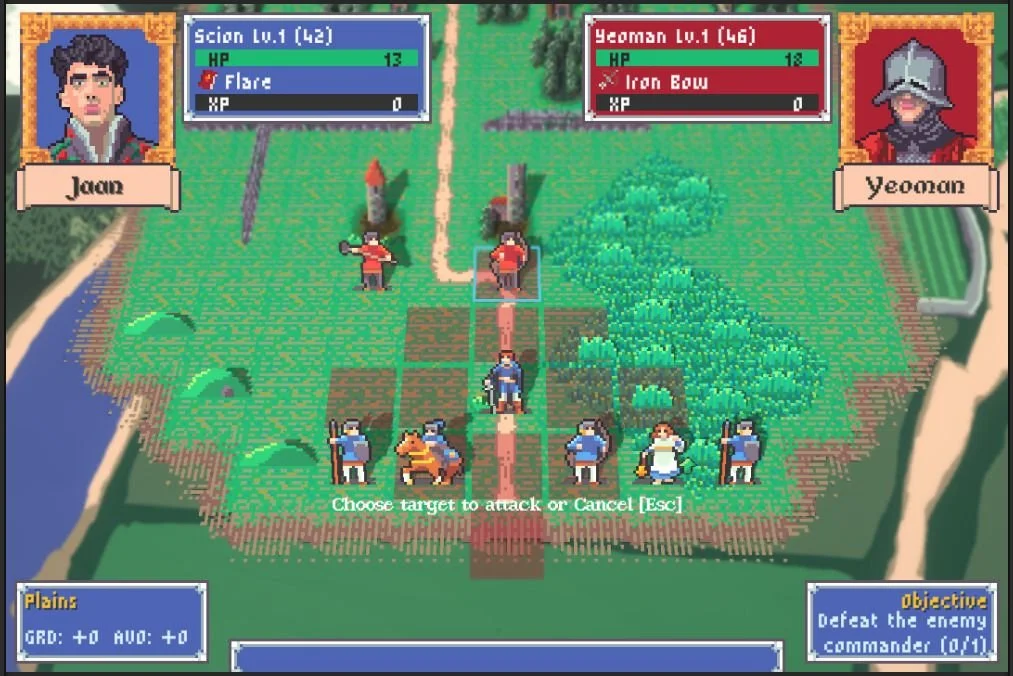
Showing off the new unit info panel and new fonts
Oh where to begin? The month started with a lot of big and scary refactors. I completely re-wrote the combat and action system to leverage MMF_Feel as our main animation system which allows me to time and position sprites, movement, sounds, particles, and floating text with a lot more precision than before. It was a lot of hard coded guts getting ripped out and replaced with what is probably even more code just in new places. The overall effect is that my side of things is a lot cleaner, and I have a lot more control over the animations so in general they feel a lot juicier and more impactful.
A side effect of integrating MMF_Feel is that I can use it for UI as well :) so the progress bars got a huge style boost and I was able to bring in some very nice tween animations for the unit info panels that slide in and out. I still have on my list to revamp a bunch of the older UIs and I’m excited to bring this new library of functionality to them.
A large number of completed features all tie in to the same system, which is Status Effects. I started by implementing a basic status effect system where a unit can get stacks of a given effect, at a specific trigger point that effect activates and a stack is removed. Then I tied those into some lifecycle events of the turn, so start/end of turn, before/after combat, on damage and on heal. I have some basic status effects in the game, poison/burn (damage over time), regen (heal over time) and stat buffs and debuffs (might up / might down).

Ylsse showing off all her abilities
Of course, had to make some new UI to show off all these cool effects and also added them to the unit info panel so you can see them at a glance. The next feature, which I dubbed Active Effects originally, was easy to add on to this system. After some back and forth settled on Unit Abilities as the name for this system. They are effects which are permanent and come from either the unit’s class, or their weapon, or are unique to that unit. A good number of these active effects create “silent” status effects in order to affect gameplay.
Some good examples of this are:
Luigi’s Temper ability
If Luigi takes damage he gives himself 2 stacks of Might Up (offensive boost)
Aleyt’s Regeneration ability
Aleyt always has 1 stack of Regen (heal over time)
Yeoman Class’s Buddy System ability
If two or more Yeomen end their turns next to each other they all get a stack of Guard Up (defensive boost)
Unclear if these will stay in the game exactly as implemented for now but I’m enjoying playing around with them.
Another system that piggybacked on the status effects is Weapon Skill. As a unit uses a specific weapon type over and over they gain a silent XP in that weapon, at certain thresholds that levels up and they get a passive bonus when using that weapon type. So rank D in swords grants the user +1 damage with sword weapons. The XP and tracking was new, but under the hood these give the player an Ability, which in turn gives them a silent status effect, which increases their stats in combat.

In-world health bars
The culmination of all this status effect and ability work came with the implementation of AoE attacks and spells. This is a big departure from original fire emblem and even the modern games don’t do a ton in this space. But I was really interested in trying to increase the value proposition of buffs and debuffs. So having them affect multiple targets and last multiple turns seemed like the way to make that happen. There are a bunch of supported shapes but my favorite is the laser, which hits every square between the source and target.

Enemy Yeoman about to get lasered
Next I picked up another refactor that had been on my plate for a while, which was to split out tile gameplay properties from tile visual properties. I had, in my arrogance and naivete tied everything about a tile to a single enum, TileType. But this quickly became a problem with low walls and hills where we wanted a tile that looked like plains, but had defensive properties. So I was able to split it out and even was able to add some prefab overrides to my map editor so I can quickly override certain tiles with common effects (like closed door, hill, etc).

The crew hanging out between the terrain info panel and the objectives info panel.
Shifting gears I was a bit intimidated to start in on the work to expand the available actions to a unit. The action system we had was some of the earliest code in the game and took a long time to get working. Up until this point all our supported actions followed the same flow: Move -> select action -> select item -> select target -> preview - > do the thing. And I was going to mess with that. I knew that I would need to do this kind of thing for Doors and Chests, where you have an action that is sometimes available based on your position, and the action doesn’t affect another unit. The flow for these new actions is Move -> select action -> select target -> do the thing. So thankfully no new steps!
Finally pulling it all together I finished off the month implementing a very cool feature I’d been thinking about for a while. In old Fire Emblem games it’s not uncommon to have to restart the whole battle because you make a mistake. In later game they’ve added a time-rewind mechanic to lessen the impact of a simple mistake. I had thought I would implement something similar even in my earliest design documents. But in the mean time as I’ve developed this game and played through other SRPG titles for research, I kind of feel like the time-rewind is a cop-out. Either you don’t have many rewinds so you end up with the same problem, or you have a ton of rewinds, so you can use them with abandon and none of your decisions have repercussions.

Tybalt is down, this is not a drill!
I wanted something in the middle, so I’ve added a “downed” status to player units. When your unit hits 0 health they become downed. Downed is a special kind of status effect and when you remove the final stack of it, the unit is truly dead. (Permadead dead). But while a unit is downed you can spend an action to rescue them, which sends them back to camp. They keep any XP they gained this battle, and they aren’t dead, they’re just out of the fight. All of the systems implemented this month played a key role:
The conditional location-based actions.
The status effects
The action animations (and hit animations)

Looks like someone’s about to be rescued.
That’s a lot of stuff and some of these deserve maybe their own whole blog posts. Maybe I’ll start doing some mid-month features where I can deep dive one of these more fully. But I’m not committing to it. You didn’t just read me committing to doing more things.
So after all that, here’s what’s remaining on that original “all of q4 milestone” list from last month:
UI revamp for some of the oldest menus and UX
Early skeleton campaign system
New battle tileset: Town (art and assets for battles in a town)
Granted some of these are big, ambiguous, items (laughs in early campaign system) but at times like these all we can do is add more stuff to the to-do list! Stuff like:
Walking and Idle animations for base classes
Fog of war (can’t see into buildings you haven’t opened yet)
Night missions!
New Main Menu Art
Polish, so much polish.
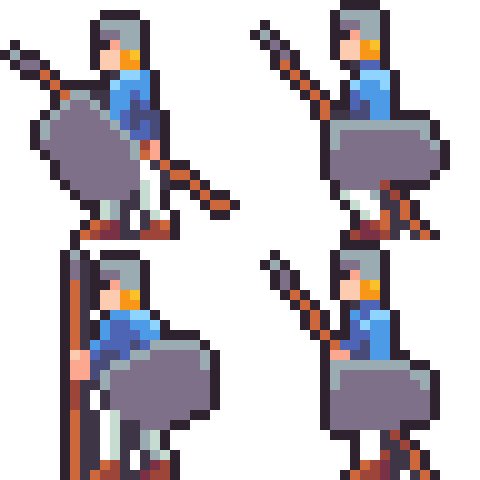
Yeoman off for a stroll.
I am aiming to have a vertical slice for this game in the springtime so I’m going to slowly be shifting away from new features and into polish, quality of life fixes and visual updates. Still plenty of new features to go before we get there.
Until then.
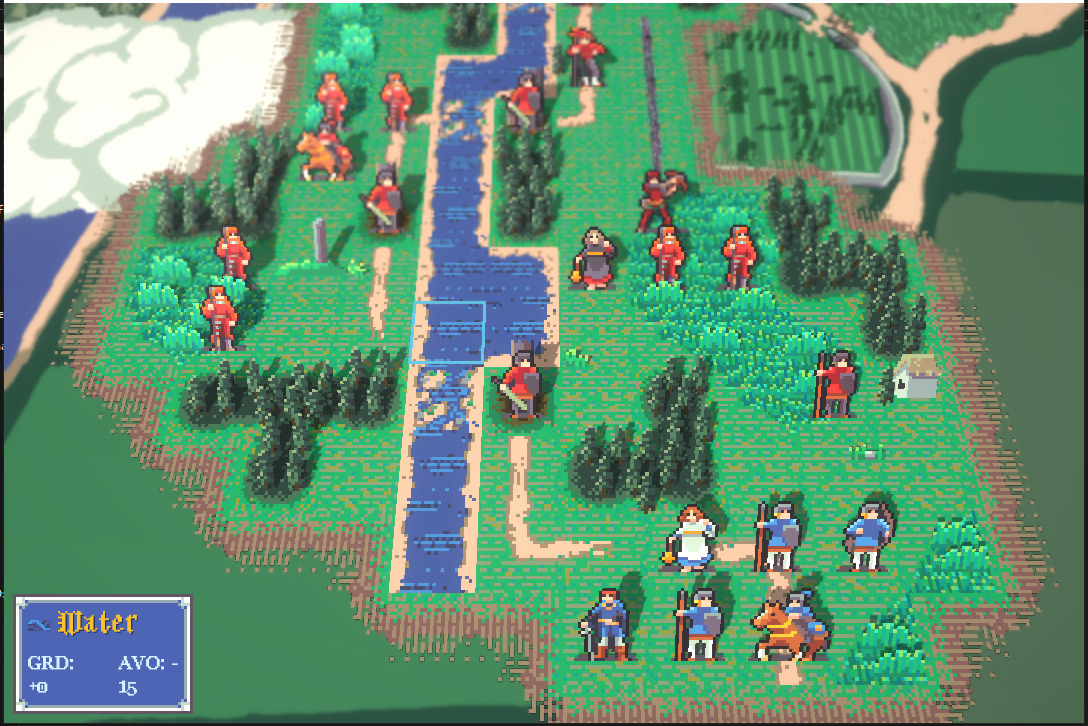
Milestone In the Bank
A recap of the most recent milestone and a preview of what’s to come.
This is the first of our monthly dev blog posts, and it’s a big one! At the time of writing this I’m preparing to send out a Friends & Family playtest build, so I’m doing all the last minute preparations and playtesting for that. This demo represents the culmination of a 4-month milestone (although I prefer to think of it as my Q3 milestone).
The original milestone demo was all about the core of the game, moving units on a grid, using attacks and items, taking damage. It was playable but very spartan.
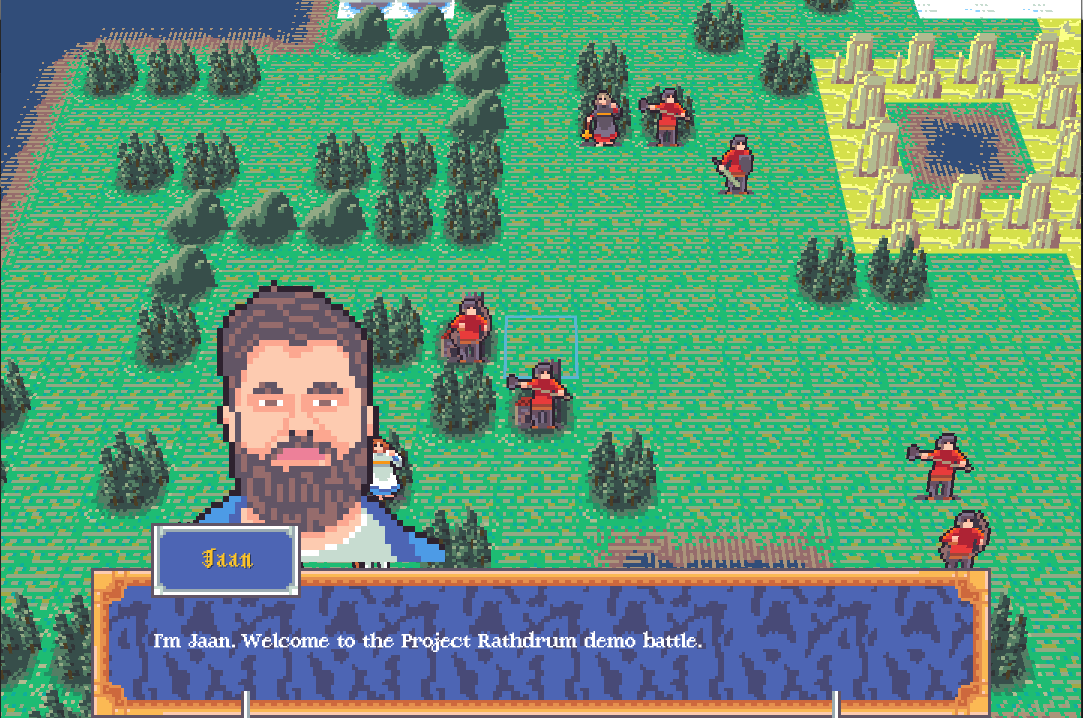
Screenshot from my original demo build
Since that build the theme of this milestone has been “Persistance.” And I’m proud to say I’ve taken the game a long way from a group of hardcoded units on a hardcoded map, to a much more robust and data driven game. The changenotes for this milestone include:
Created a map editor tool (and maps!)
Integrated map editor improvements back into main game
Unit XP gain and level ups
Unit class promotion
Unit equipment selection
A persistent roster of units to select from
Saving and loading player progress
Persistent unit death
8+ new classes
20+ new weapons and items
Visual upgrade with post processing effects
New environment art, portraits, and unit art.
Clouds!
Music and SFX
Improved AI logic
Main Menu and Loading Screens
Bug Fixes & More!
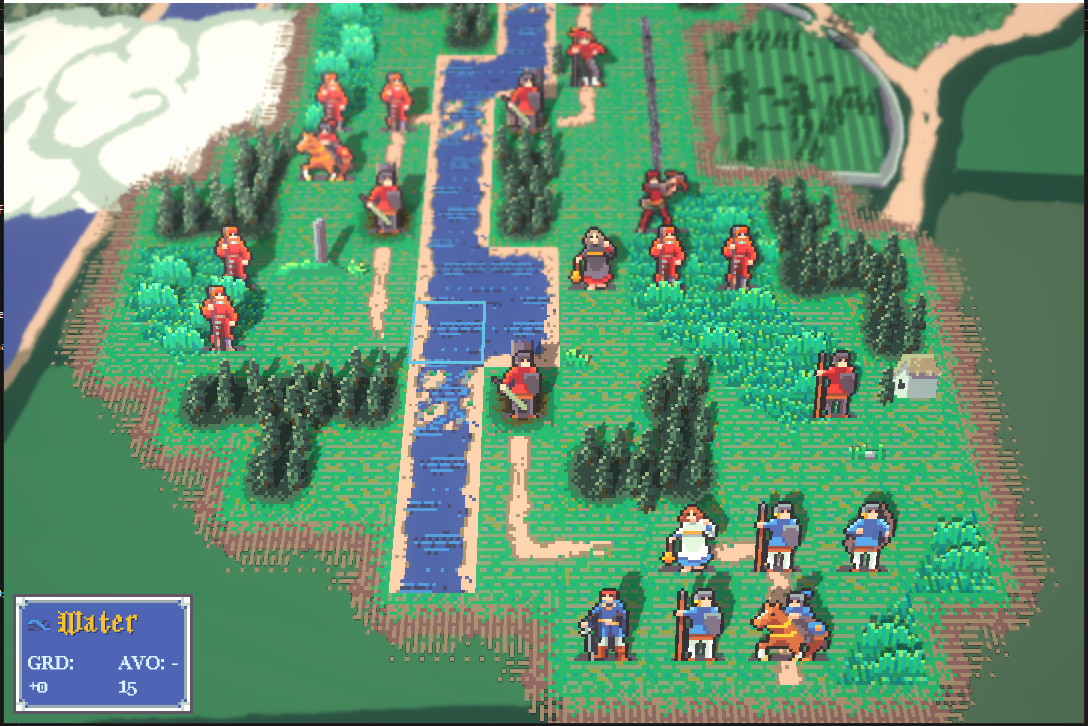
The final battle in the new build. My roster is not prepared!
There are two big pieces in here that stand out to me looking at this list. I think I spent a month on the Map Editor and another month on the UI for equipment selection, promotion, and battle participation. Both of those features were monumental undertakings.
The map editor is a scene within Unity that I “play” in order to place tiles, doodads, and spawn points onto the grid and then the map is serialized and we can load it into the actual game from there. It was literally making a separate little game that just had a useful output. I decided to do serialized maps because I didn’t want to have a separate unity scene for each battle. I’ve had bad experiences in the past maintaining and updating that large number of scenes. However this does mean that I need to be able to pack and unpack literally everything about a battle. And adding anything means creating a system to understand it. But overall I’m happy with my choice. (for now)
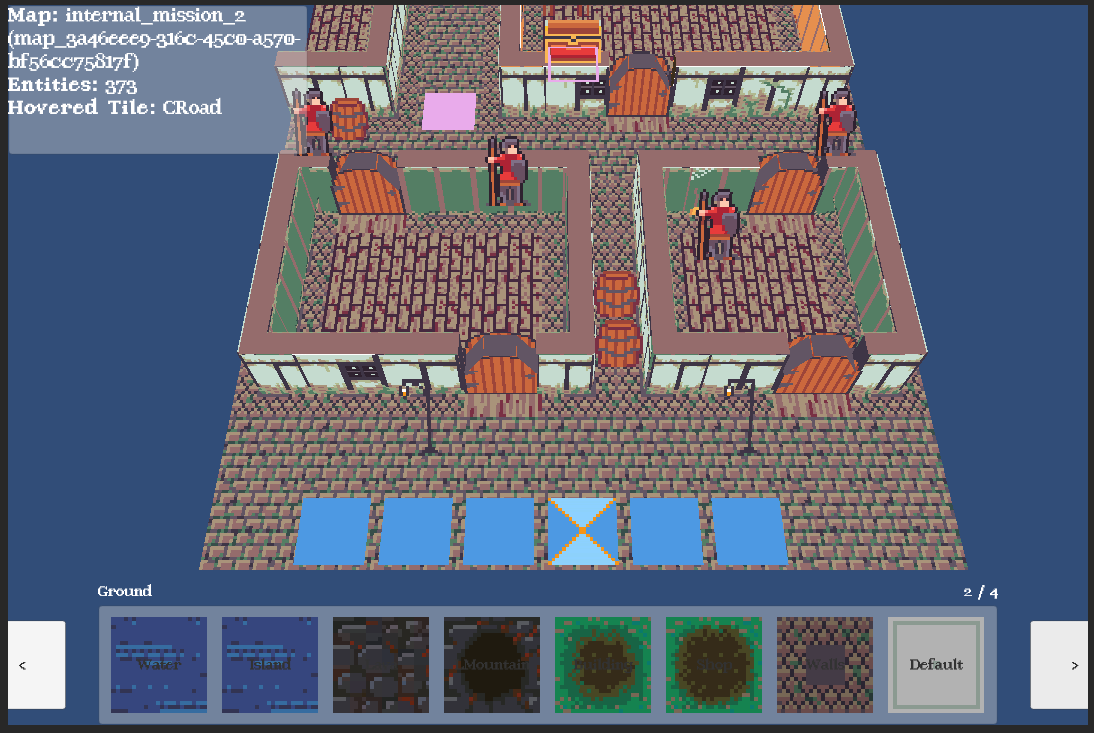
The map editor tool with a preview of some content coming down the pipe :)
The pre-battle UI which has all the options for promotion, equipment select and roster select was also a huge undertaking. Each one of these menus has several states they can be in and data needs to pass between the states. States needed to be navigable forwards and backwards and components needed to be reusable. Each of these menus for example feature a unit selection sub-menu, so the flow is
Select the menu
Select the unit
Perform the modification (equipment, promotion, or participation)
I won’t lie, I got stuck a few times and had to re-think my approach. I started trying to make an omni menu that could contain any number of submenus in any order, but the logic to move between it all was too complicated. So I ended up making that omni menu a shell and adding a layer on top that managed what sub menus we needed and the logic to navigate through. So in some ways each menu is bespoke, but I got to re-use a bunch of UI layout. It’s not a perfect solution, but I think it is a model I’ll try and use when I start on the campaign UI in the future.
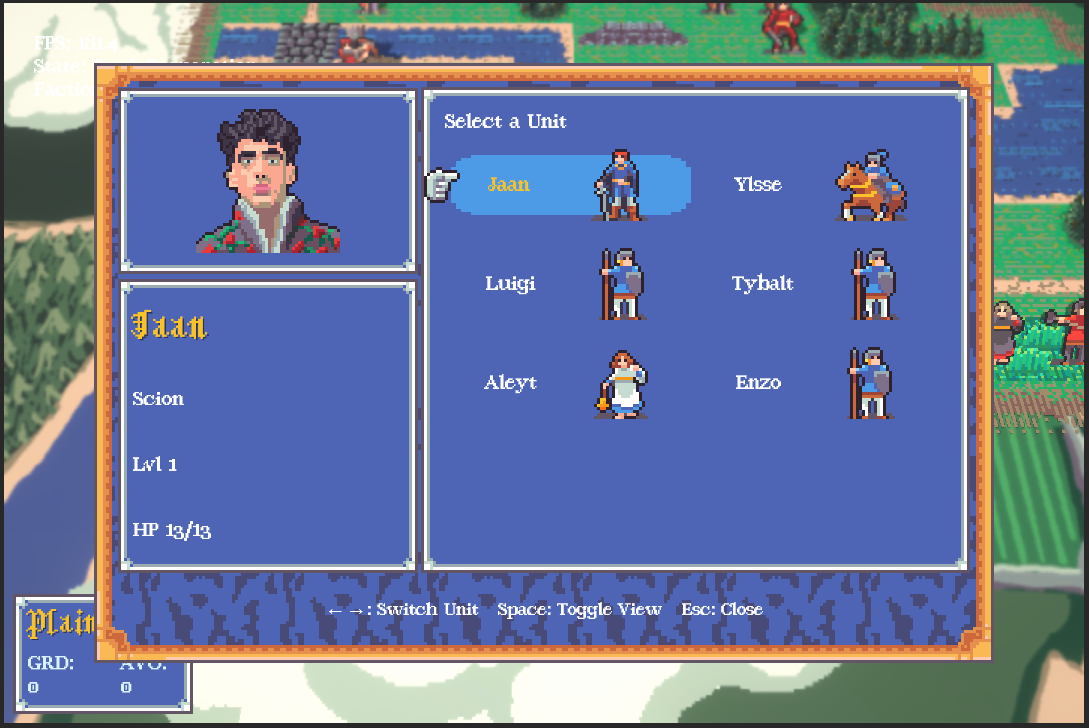
Choosing which unit should change their equipment.
The biggest upgrade I think from an outside perspective is the dynamic lighting and post processing effects. It takes the game from a very flat looking experience to a breathing 3d world made up of flat people. I was inspired by the likes of Octopath Traveler and Triangle Strategy who use similar effects in their games, and I hope to stand out from those two titles because of my more vibrant color palette and environments.
So what is next? Well the theme for this milestone was “Persistence” and I’ve decided that the next one will be “Strategy.” It’s still early days but my goal is to focus on all the things you might do in a battle that aren’t attacking, really filling out the strategic space. My list right now includes:
Buff & Debuff spells
Active effects (like poison or heal over time)
Class abilities
Unique abilities
Positional abilities (bonus for being near eachother)
Additional terrain effects
Conditional terrain effects (like how a closed door is impassible)
Conditional actions (like opening a door)
Lots of consumable items using all these new effects
Weapon proficiency (and the framework for support conversations)
AoE spells and attacks
Battle Objectives ( not just kill everyone)
That’s already quite a list! And I’d like to tack on a few extra things that aren’t quite on theme but I think are important as well:
UI revamp for some of the oldest menus and UX
Early skeleton campaign system
Pause menu
New battle tileset: Town (art and assets for battles in a town)
Ok I’m done. Jkjk I’ll think of more. I’d like to aim for another one of these milestone demo playtests around the end of the year with as many of these features as I can get through in that time. I’ll be posting updates here every month with what features I've ticked off and which ones are still to come.
Until then.

Humble Beginnings
All downhill from here


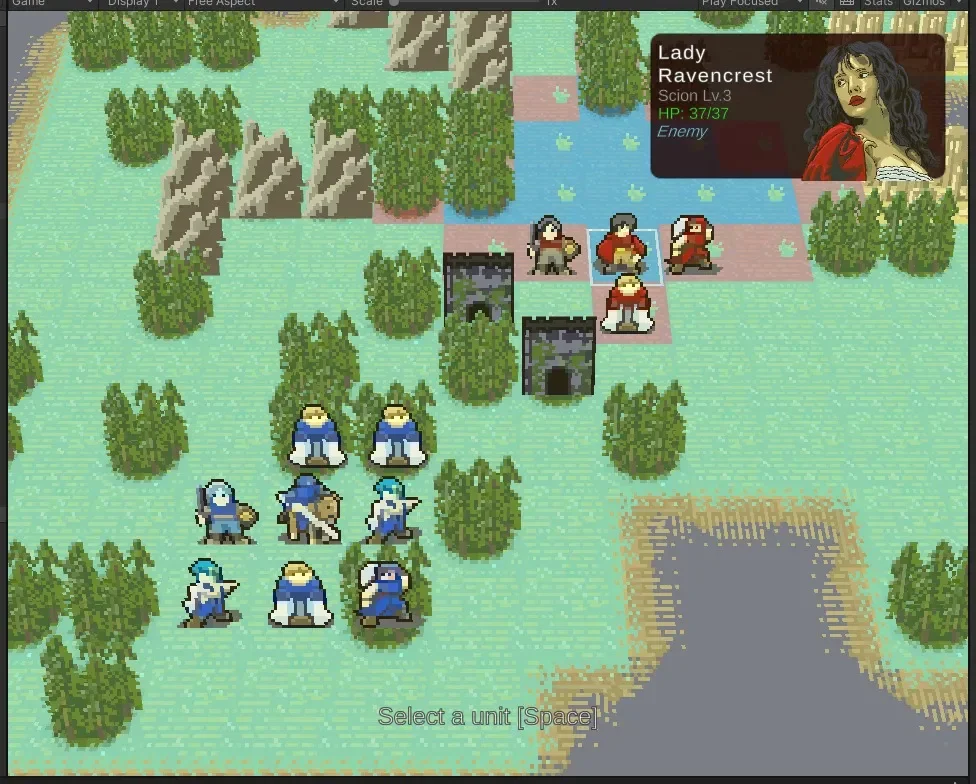


I am not much of a blogger, but here goes. I started this project the day my son turned 1 year old. I was looking for a creative outlet and an opportunity to try out technologies that I wouldn’t encounter in my day job. This isn't the first game I’ve attempted to make by myself, but it’s certainly gone on for the longest. Every time in the past I tried to make something completely new, unique, and the perfect distillation of my creative process. And every time, I would get so caught up trying to figure out what the game *should* be that the game never got made.
So this time would be different, I would just make a game I already knew. I thought about different kinds of games that I like playing and two series came to mind. These are games I’ve played over and over, nearly every installment multiple times. I wasn’t about to make a Pokemon clone though. So here we are. I set forth to make a game that was like Fire Emblem.
When this project stated I didn’t know very much about CSharp as a language, I’d never made pixel art before, I’d never done a lot of things: many of which deserve and may get their own blog post.
We just recently passed the 6 month mark of making this game and it’s come a long way. Rathdrum is a Strategy RPG set in a renaissance era fantasy world. It features styling and sensibilities of GBA-era Fire Emblem but with modern visuals and game design. Every month I will aim to write one of these where I will go over the accomplishments of this month and my goals for the next. For now though, I’m going to get back to fixing bugs.